Manual product activation
To unlock the full version of Ozeki SMS Gateway, you must first buy a license and then activate it. After you complete the purchase, Ozeki SMS Gateway will email you a serial number. Without this activation, the software runs only in a 14-day trial mode; no activation is needed for the trial. Manual product activation allows you to activate Ozeki SMS Gateway even when there is no internet access on the SMS Gateway server machine.
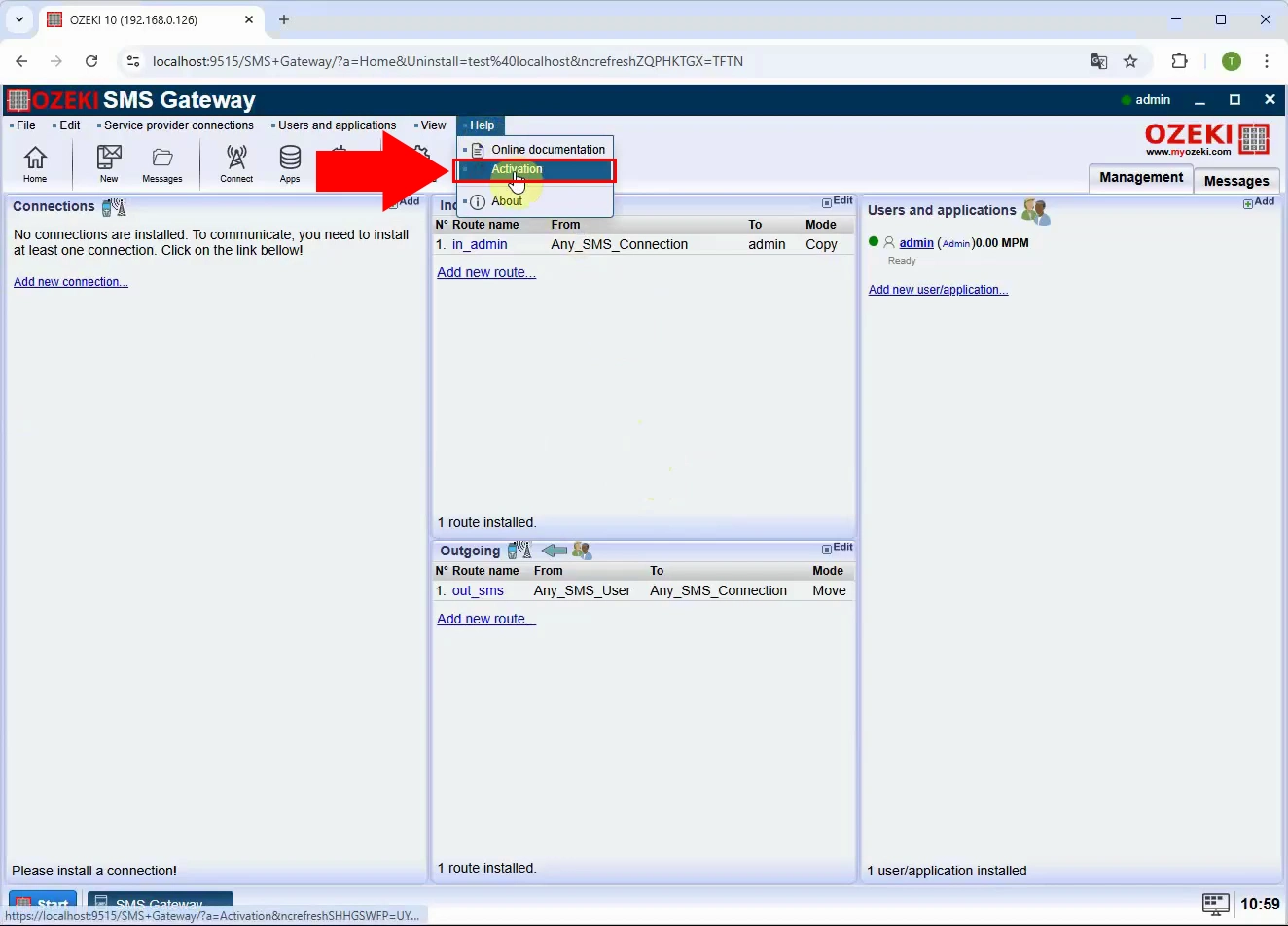
To manually activate Ozeki SMS Gateway, open the application, go to the top menu, click Help, then select the Activation option to display the activation window.
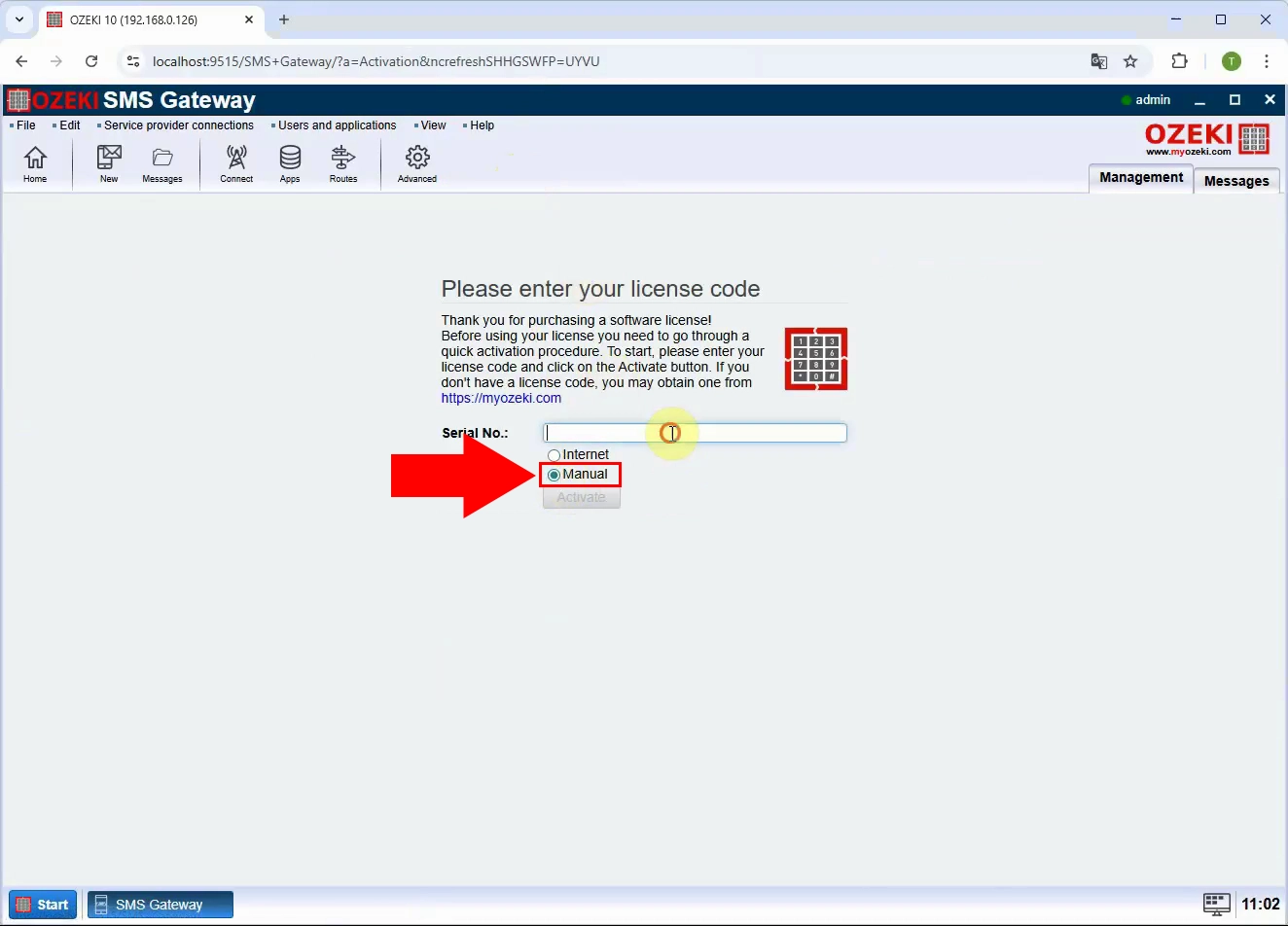
In the activation window, choose the Manual activation option to switch from online activation to the offline/manual process, which will allow you to use an activation code obtained from the Ozeki activation website.
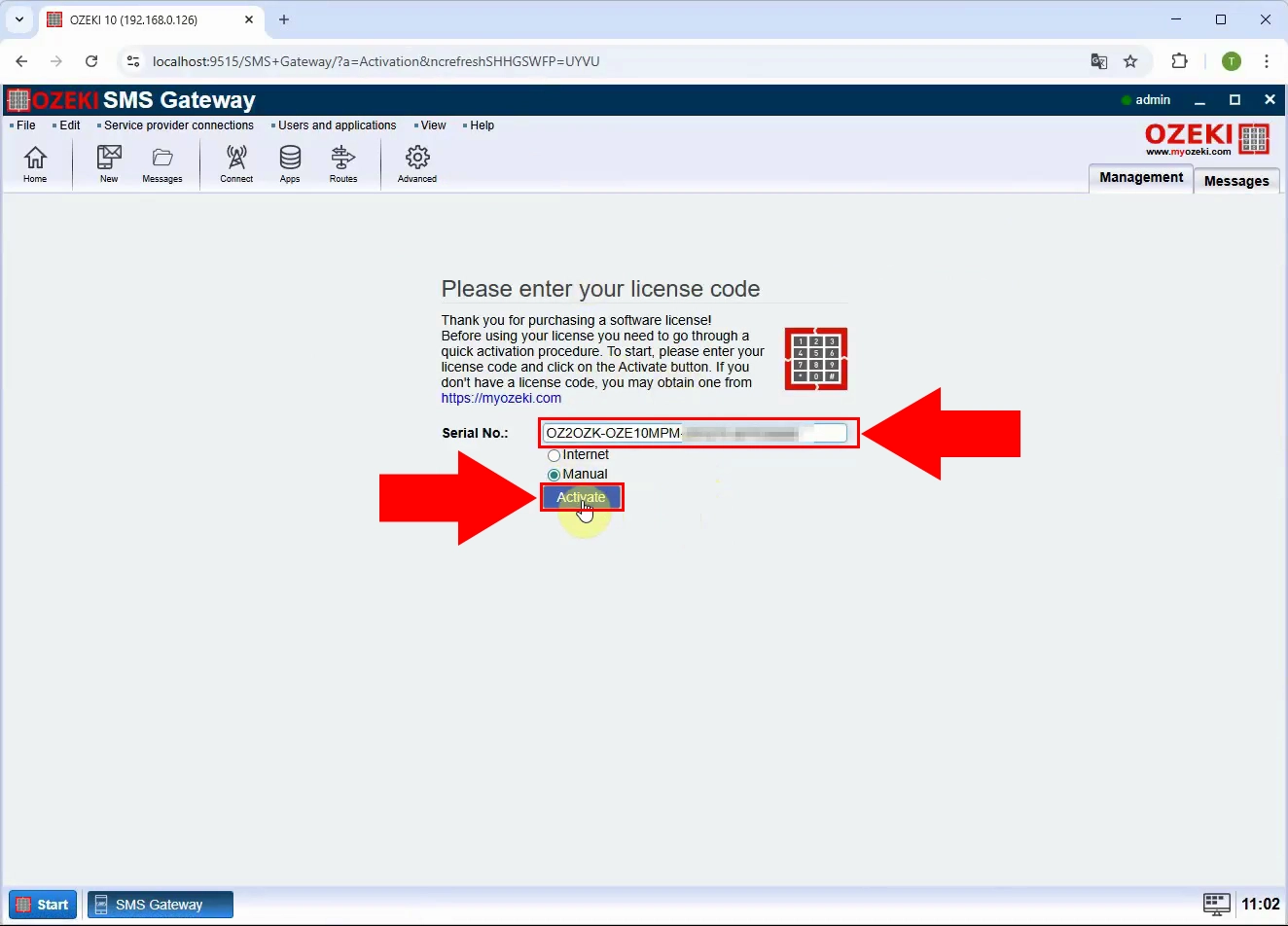
Enter your license code into the appropriate field in the activation window and confirm it so the system can generate and display your System ID, which is required for the manual activation process.
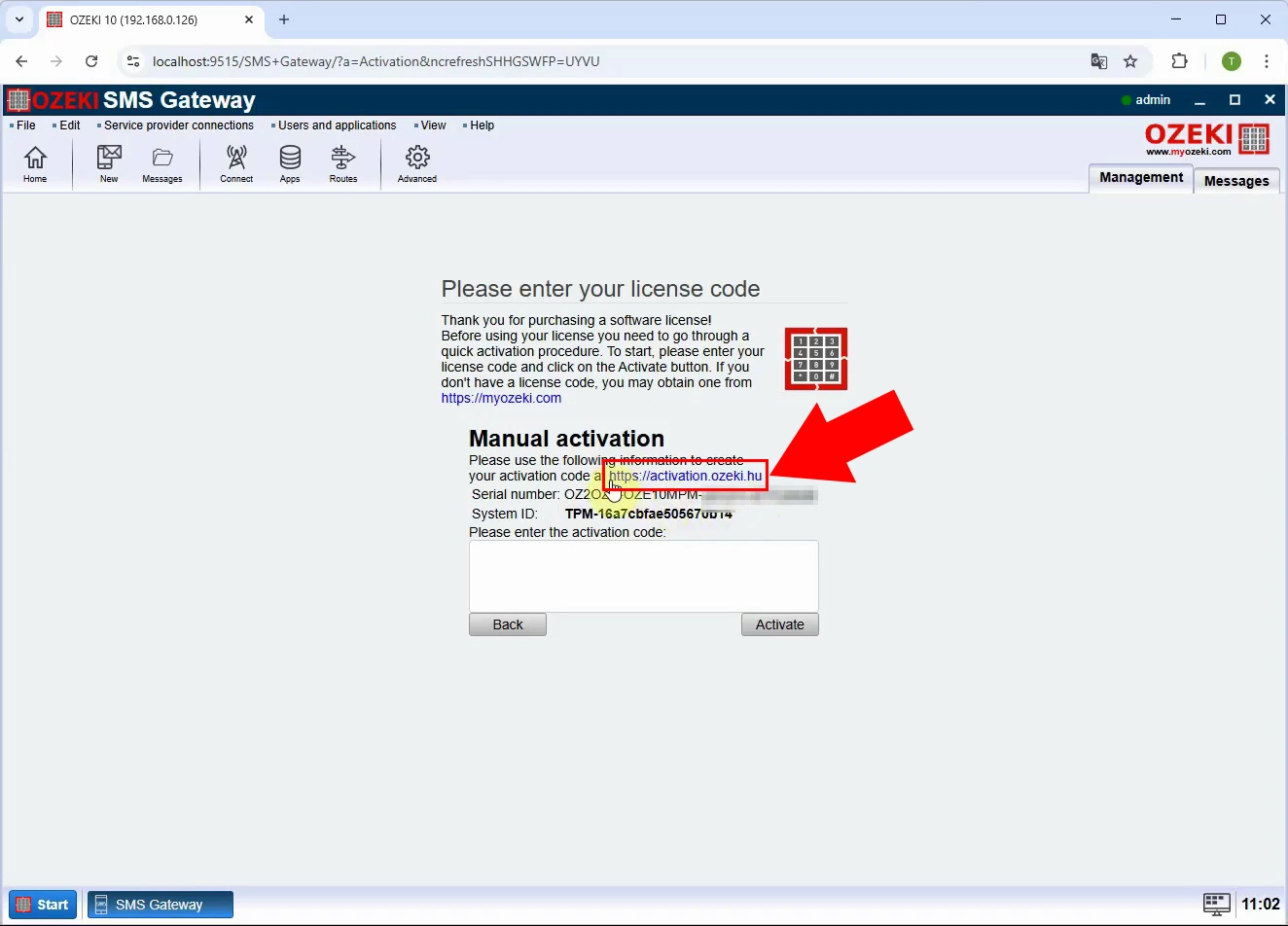
Open a web browser and navigate to https://activation.ozeki.hu to reach the Ozeki activation portal, which is used to generate an activation code based on your license details and System ID.
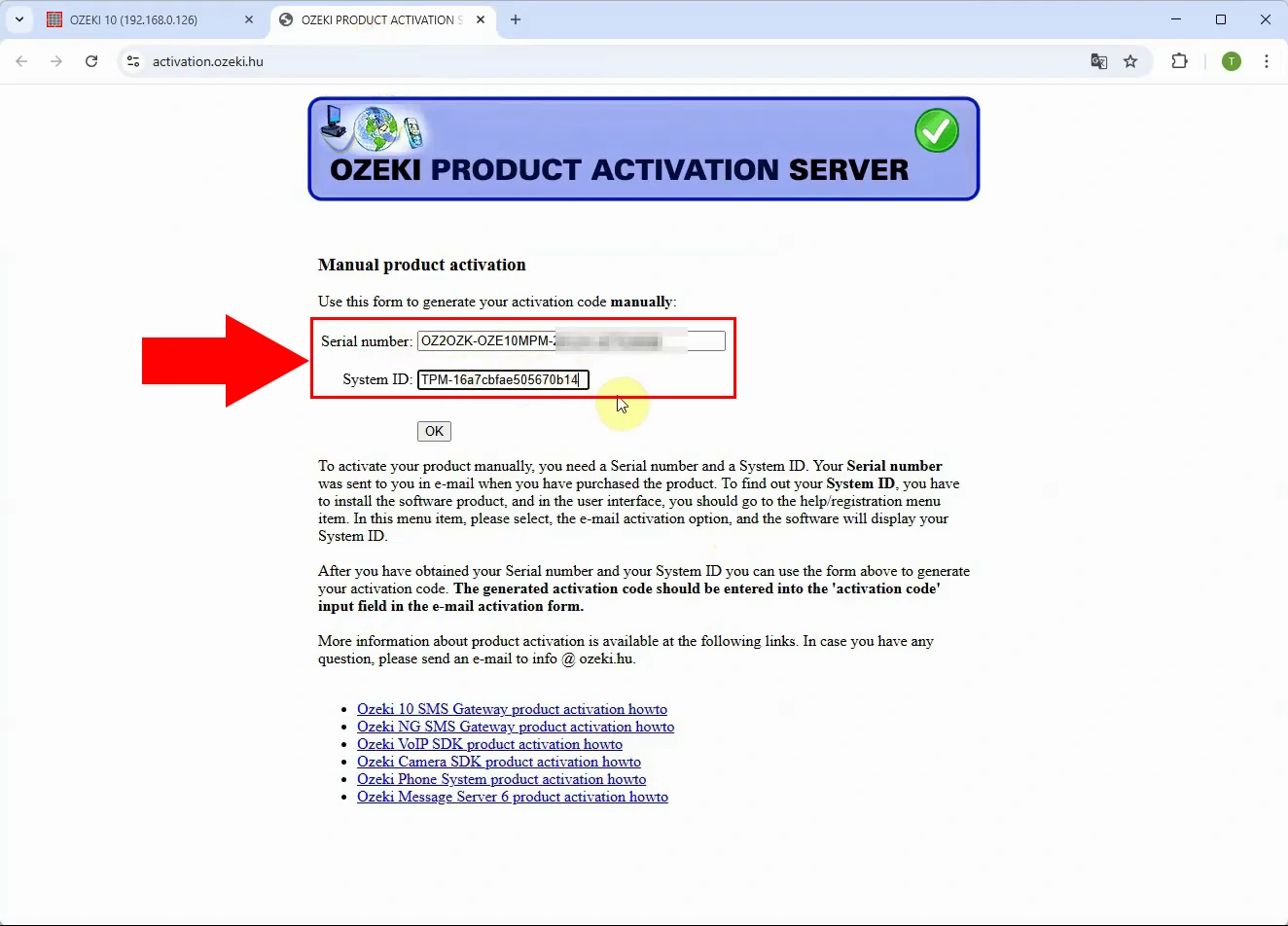
On the activation website, type your serial number and the System ID shown in the Ozeki SMS Gateway activation window, then submit the form to request the corresponding activation code.
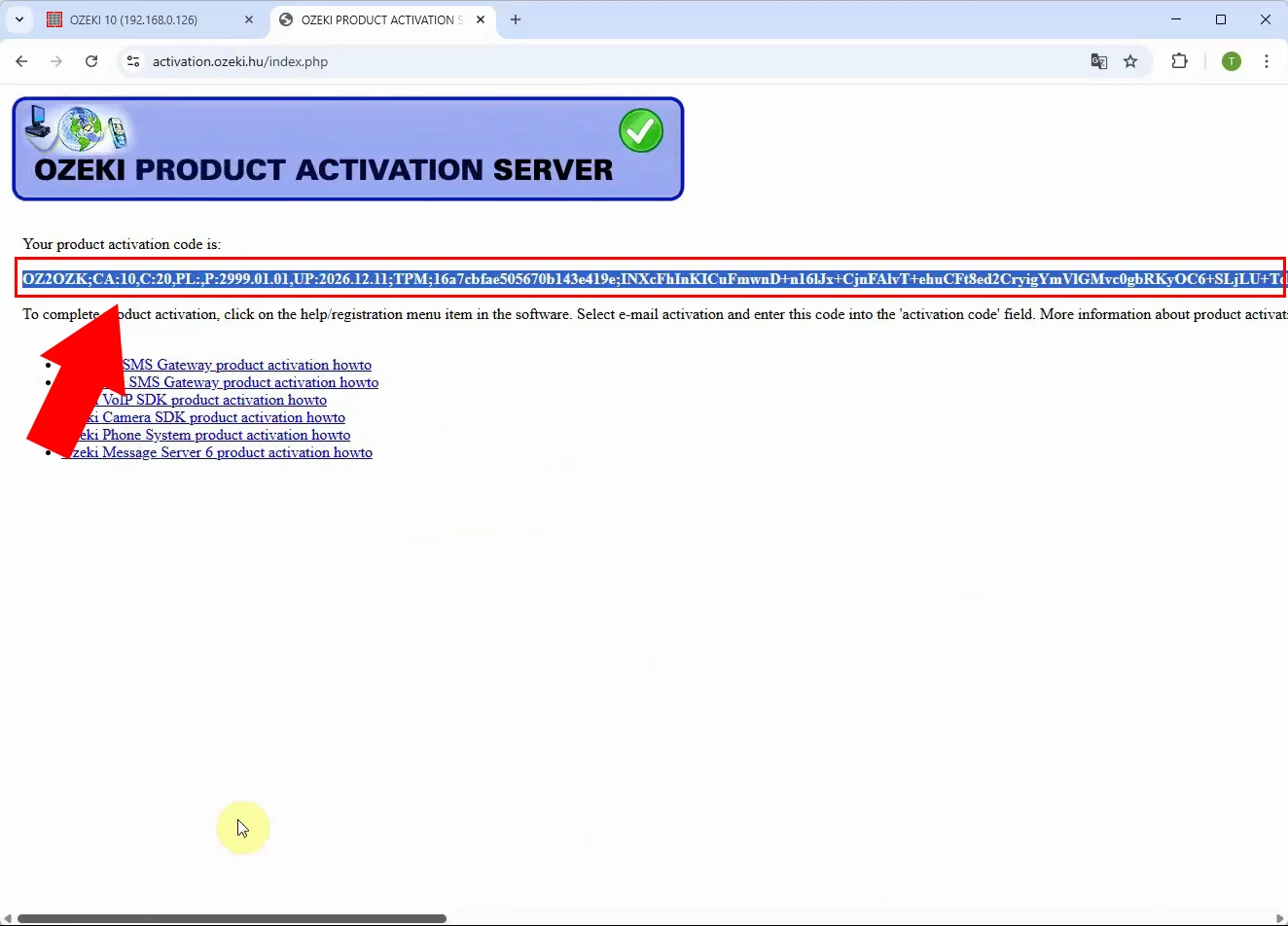
When the activation website returns the activation code, carefully select and copy this code from the browser so it can be pasted back into the Ozeki SMS Gateway activation window.
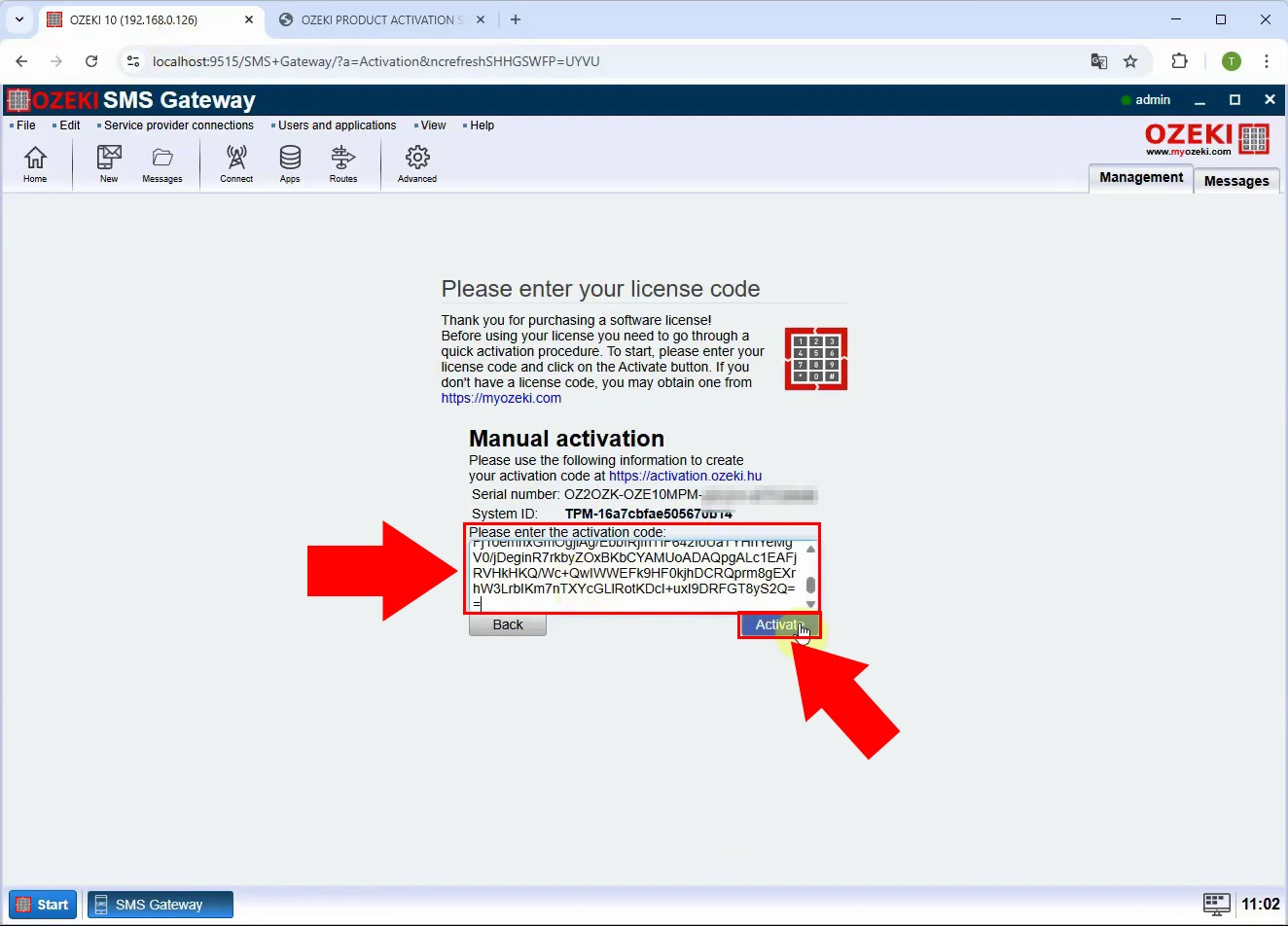
Return to the Ozeki SMS Gateway activation window, paste the copied activation code into the activation code field, and click the button to complete the activation of your product.
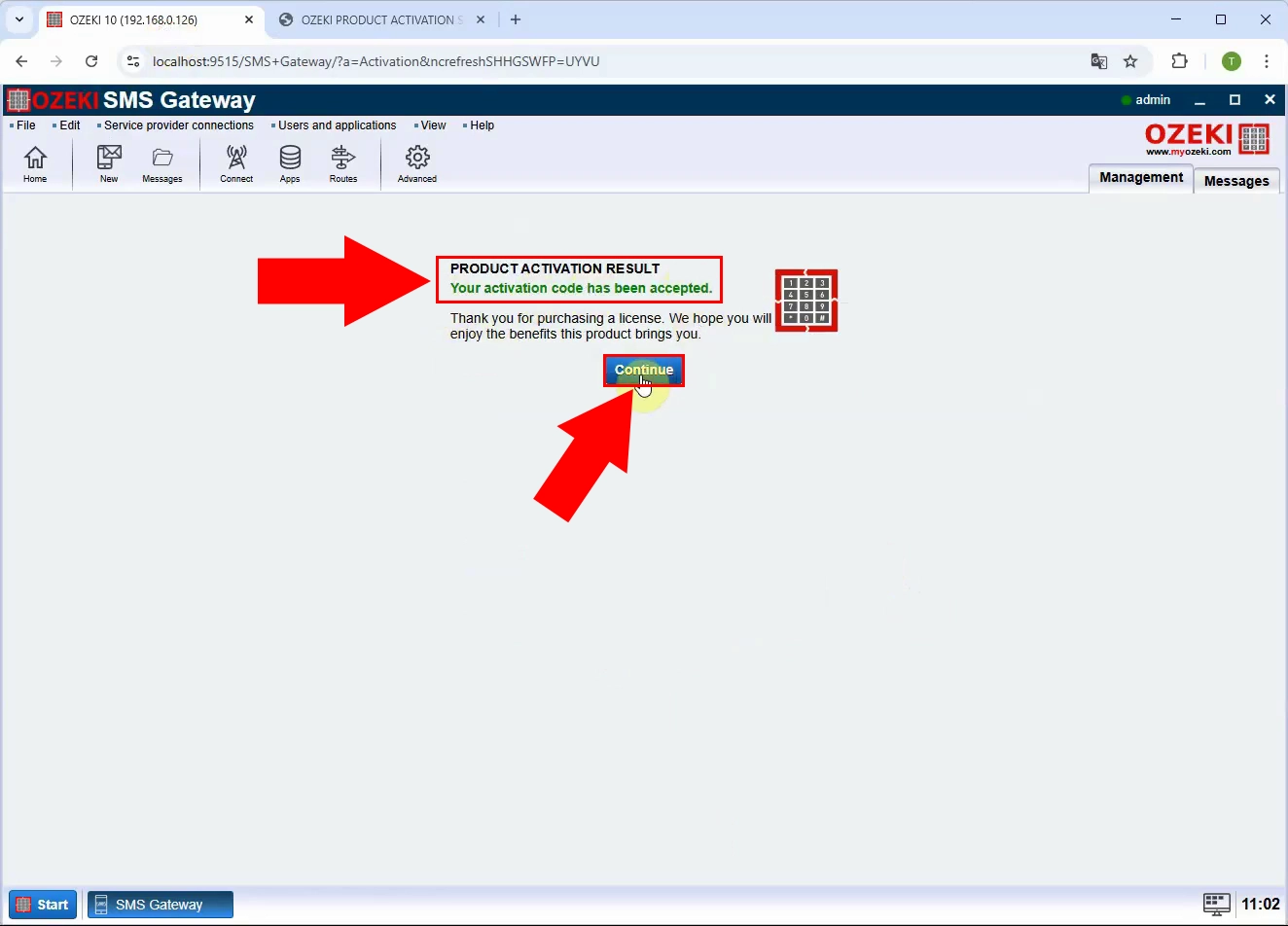
After submitting the activation code, verify that a success message is displayed, confirming that the product has been activated and that all licensed features are now available for use.