
How to receive SMS in OpenCode
This guide walks you through retrieving incoming SMS messages in OpenCode using the Ozeki SMS MCP server. By following this tutorial, you will learn how to verify the MCP server connection, ask the AI model to list incoming messages in plain language, and confirm the transaction through the gateway logs.
What is an MCP tool call?
An MCP (Model Context Protocol) tool call is how an AI model communicates with external systems. When the AI needs to perform an action or retrieve data, such as querying a database, calling an API, or reading a file, it sends a structured request to the appropriate MCP server, which processes it and returns the result.
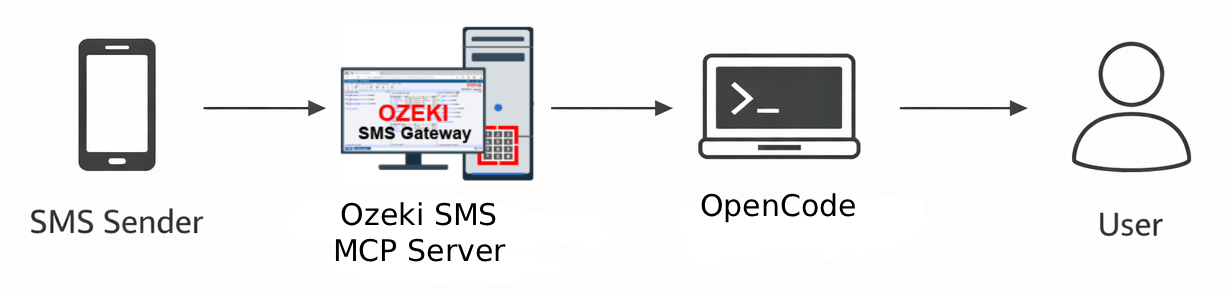
Example prompt
List all incoming SMS messages.
Steps to follow
We assume Ozeki SMS Gateway is already installed on your system, you have created an MCP user account with an API key, and you have already configured the Ozeki SMS MCP server in OpenCode.
How to receive SMS in OpenCode video
The following video shows how to retrieve incoming SMS messages in OpenCode using the Ozeki SMS MCP server step-by-step.
Step 1 - Verify the MCP server connection
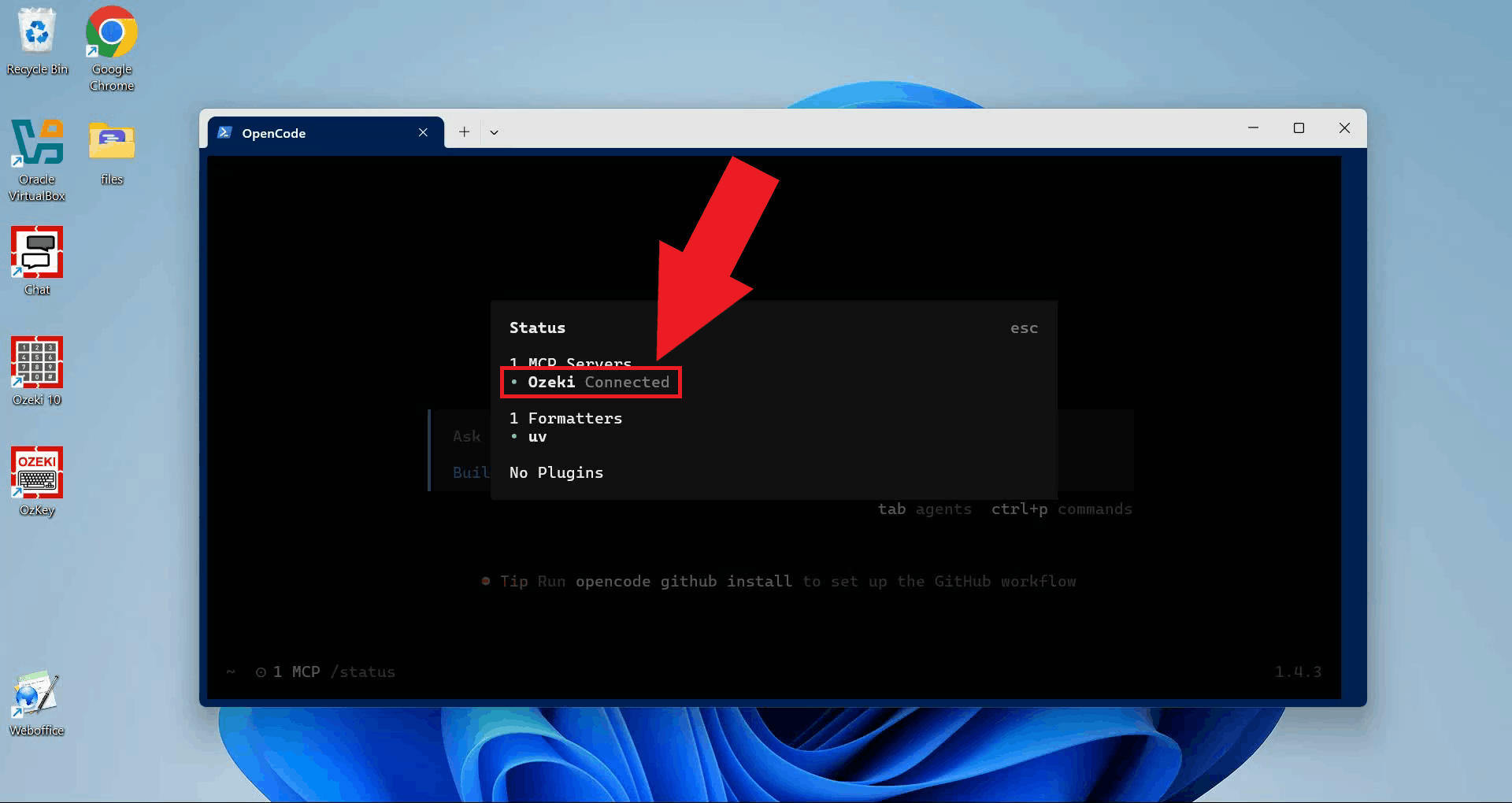
Before retrieving messages, run the /status command in OpenCode to
confirm that the Ozeki MCP server is listed and its status shows as connected.
This ensures that the AI model has access to the SMS tools (Figure 1).
Step 2 - Use the list incoming messages tool
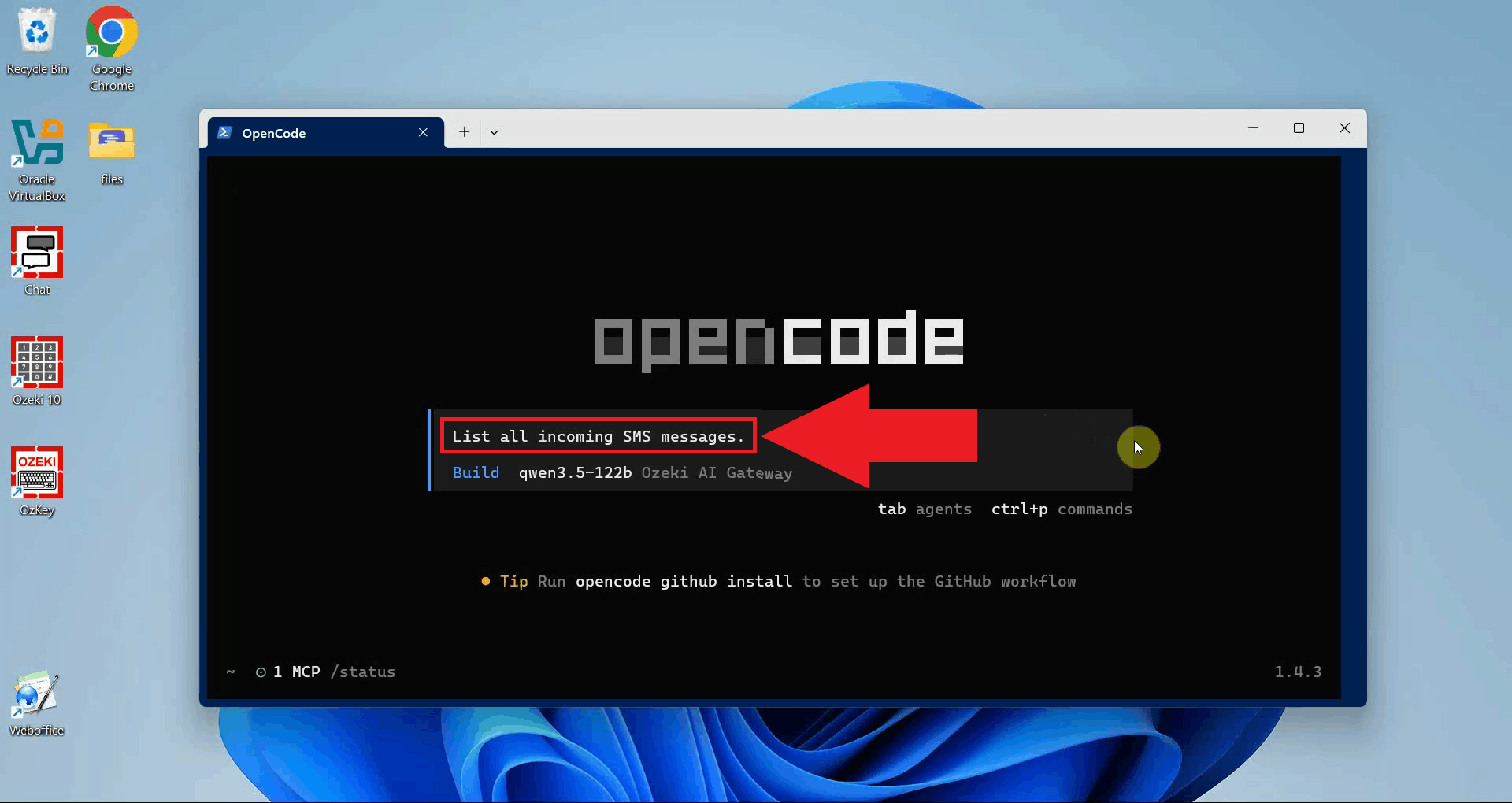
In the OpenCode prompt, type your request in plain language and press Enter. The AI model will interpret the request, select the appropriate MCP tool, and invoke it to retrieve the messages from the gateway inbox (Figure 2).
List all incoming SMS messages.
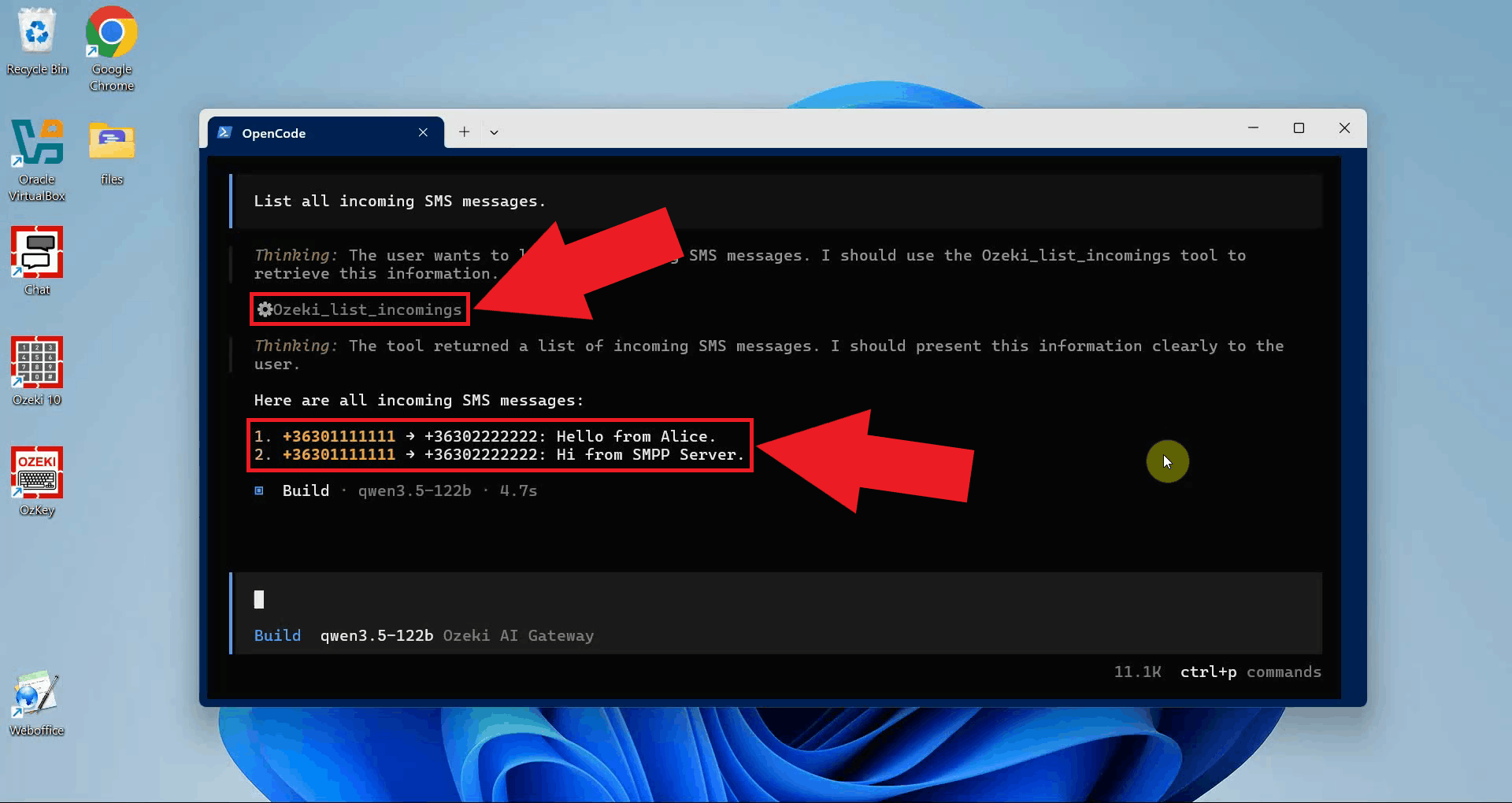
The tool result will appear in the OpenCode terminal. Each entry includes the sender number, recipient number and the message text (Figure 3).
Step 3 - View transaction in logs
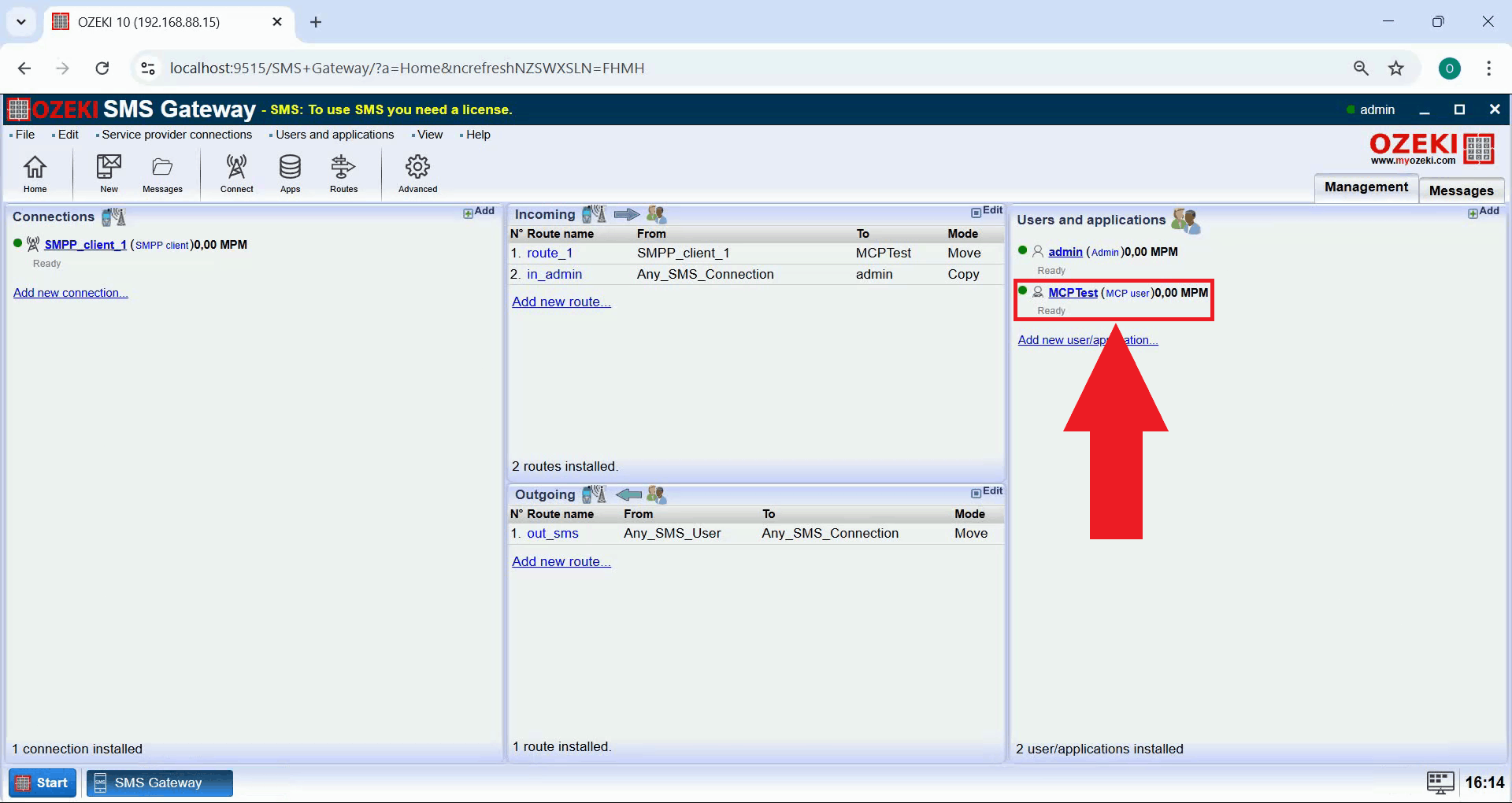
Open Ozeki SMS Gateway in your browser and navigate to the MCP user details page by clicking on the MCP user entry in the Users and applications panel (Figure 4).
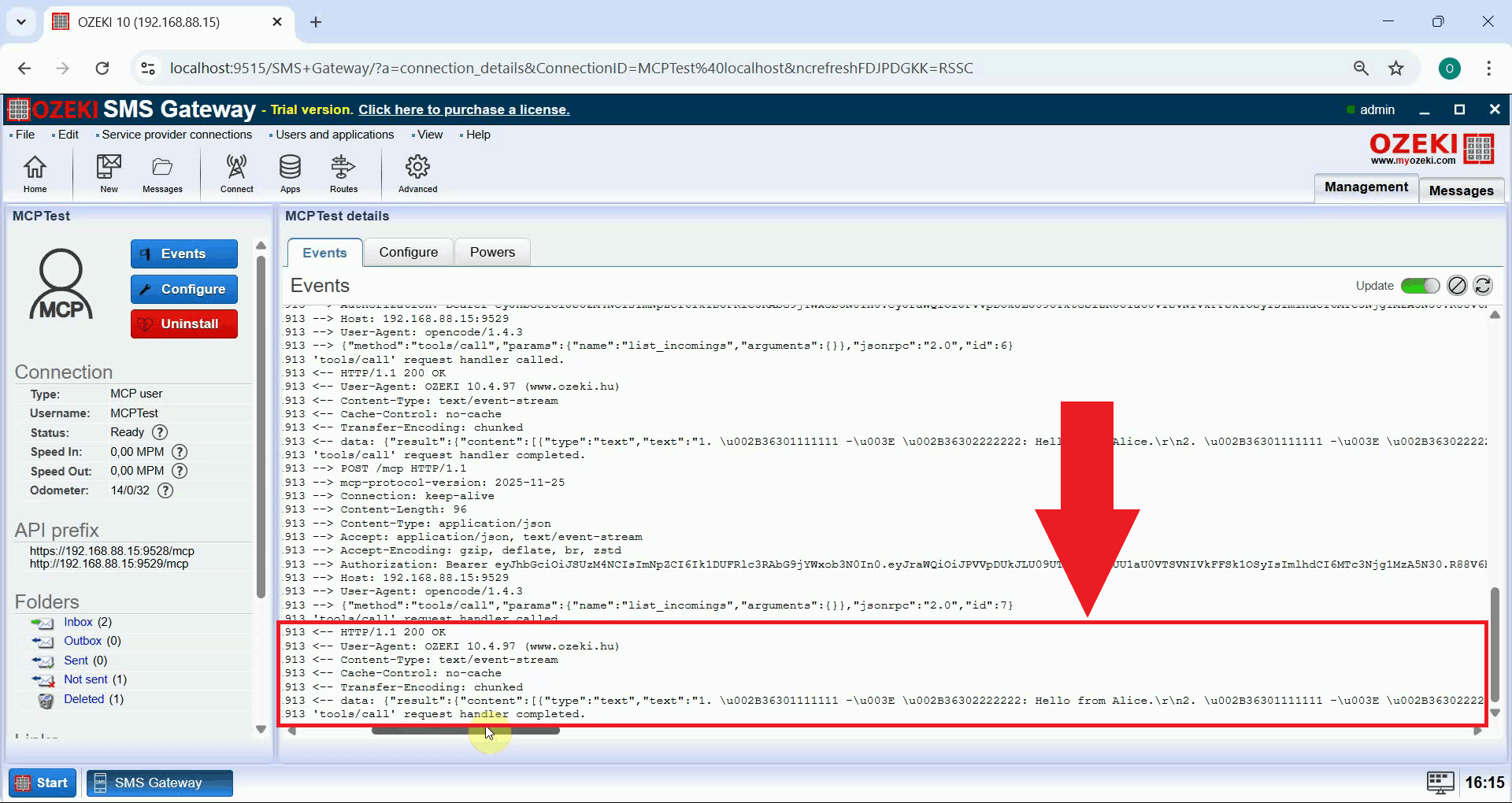
In the MCP user event log, you should see a log entry for the incoming message retrieval request, confirming that the API key authentication and tool call were processed correctly by the gateway (Figure 5).
Final thoughts
You have successfully retrieved incoming SMS messages in OpenCode using the Ozeki SMS MCP server. The AI model running in OpenCode can now list incoming messages from your gateway simply by being asked to do so in plain language, making it easy to add SMS inbox access to any OpenCode workflow.