
SMS MCP Server for AnythingLLM
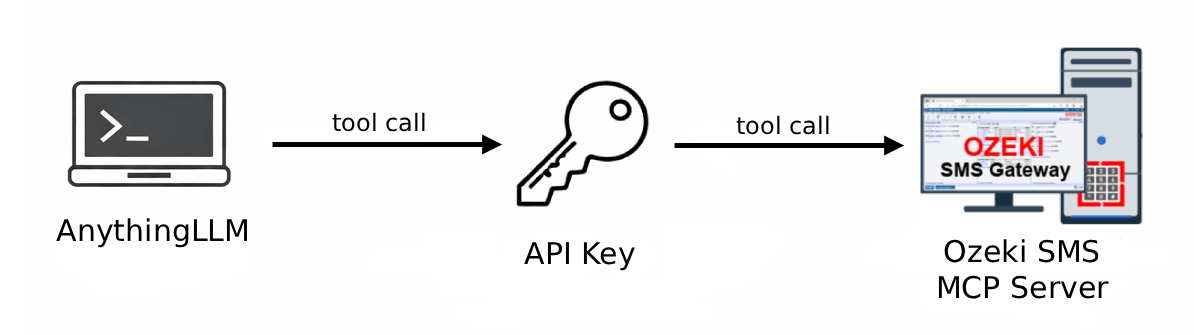
The Ozeki SMS MCP Server integrates with AnythingLLM to give your AI agent the ability to send and receive SMS messages through plain language prompts. Follow the guides below to configure the server, send outgoing messages, and retrieve incoming messages.
What is AnythingLLM?
AnythingLLM is an open-source, all-in-one desktop AI application that combines chat, document management, and AI agent capabilities in a single interface. It supports a wide range of LLM providers and allows you to create workspaces where you can chat with documents, build AI agents, and manage conversations.
How to configure the Ozeki SMS MCP Server in AnythingLLM
This tutorial explains how to integrate the Ozeki SMS MCP Server with AnythingLLM. You will add the server to the MCP configuration file with the gateway address and API key, then refresh the server list to verify the SMS tools are available for your AI agent.
How to configure the Ozeki SMS MCP Server in AnythingLLMHow to set up an SMS MCP server to send SMS from AnythingLLM
This guide shows how to send SMS messages from AnythingLLM using the Ozeki SMS MCP server. You will start an agent session with the @agent prefix, ask the AI agent to send a message using a plain language prompt, and then confirm delivery by checking the gateway event logs.
How to set up an SMS MCP server to send SMS from AnythingLLMHow to set up an SMS MCP server to receive SMS in AnythingLLM
This tutorial demonstrates how to retrieve incoming SMS messages in AnythingLLM using the Ozeki SMS MCP server. Simply start an agent session, ask the AI to list incoming messages in plain language, and verify the retrieval through the gateway logs.
How to set up an SMS MCP server to receive SMS in AnythingLLM