
SMS MCP Server for LobeChat
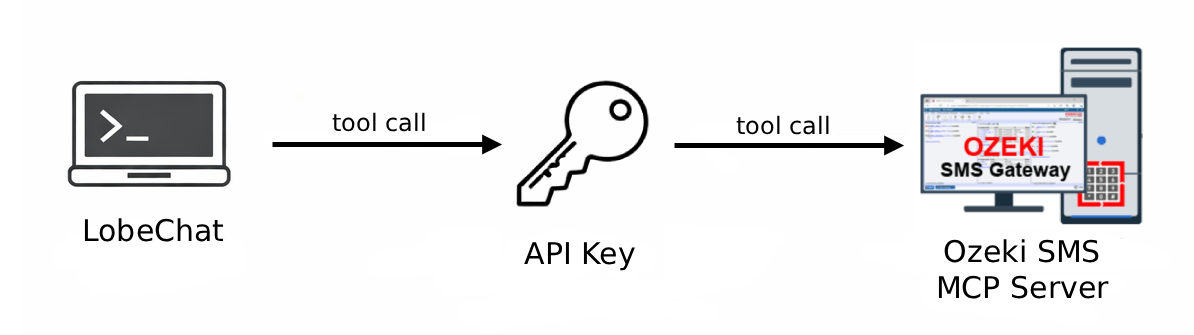
The Ozeki SMS MCP Server integrates seamlessly with LobeChat, enabling AI agents to send and receive SMS messages through plain language prompts. The following pages guide you through configuring the MCP server, sending outgoing messages, and retrieving incoming SMS within your LobeChat workflow.
What is LobeChat?
LobeChat is an open-source, modern AI chat framework that provides a polished web-based interface for interacting with large language models. It supports a wide range of providers through OpenAI-compatible APIs and can be self-hosted using Docker.
How to configure the Ozeki SMS MCP Server in LobeChat
This guide explains how to integrate the Ozeki SMS MCP Server with LobeHub. You will navigate to the Agent Skills settings, add the Ozeki gateway as a custom MCP skill using Streamable HTTP transport, configure API key authentication, and test the connection to confirm the SMS tools are available.
How to configure the Ozeki SMS MCP Server in LobeChatHow to set up an SMS MCP server to send SMS from LobeChat
This tutorial shows how to send an SMS message from LobeChat using the Ozeki SMS MCP server. You will enable the Ozeki MCP skill in the chat interface, use a plain language prompt to instruct the AI agent to send a message, and verify the delivery through the Ozeki SMS Gateway event logs.
How to set up an SMS MCP server to send SMS from LobeChatHow to set up an SMS MCP server to receive SMS in LobeChat
This guide demonstrates how to retrieve incoming SMS messages in LobeChat using the Ozeki SMS MCP server. You will enable the MCP skill in the chat interface, ask the AI agent to list incoming messages in plain language, and verify the transaction in the gateway event logs.
How to set up an SMS MCP server to receive SMS in LobeChat