
SMS MCP Server for LibreChat
Learn how to integrate the Ozeki SMS MCP Server with LibreChat to send and receive SMS messages directly from your AI conversations. This guide covers configuration, sending messages, and retrieving incoming SMS using plain language prompts.
What is LibreChat?
LibreChat is an open-source, self-hostable AI chat interface that supports multiple AI providers and models through a unified platform. It offers features like conversation management, multi-model support, and plugin/tool integrations including MCP. It serves as a flexible alternative to proprietary chat UIs, giving users full control over their AI interactions and data.
How to configure the Ozeki SMS MCP Server in LibreChat
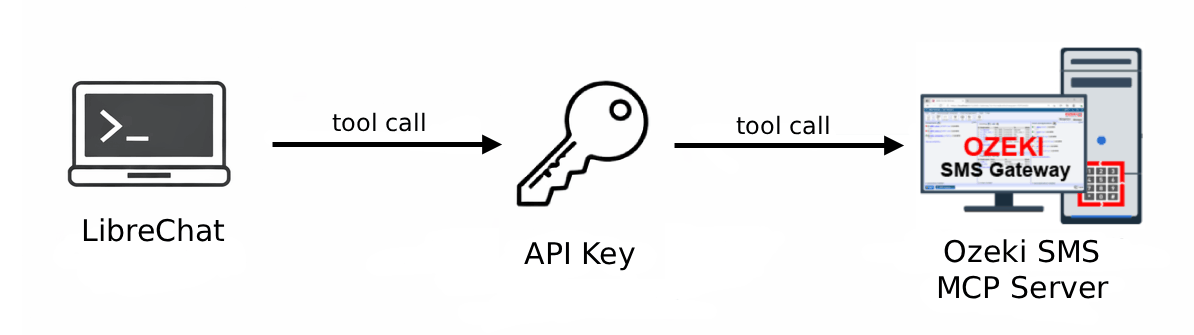
This guide explains how to integrate the Ozeki SMS MCP Server with LibreChat by whitelisting the gateway domain in the configuration file, restarting the Docker container, and registering the MCP server with Streamable HTTP transport and API key authentication.
How to configure the Ozeki SMS MCP Server in LibreChatHow to set up an SMS MCP server to send SMS from LibreChat
This tutorial shows how to send SMS messages from LibreChat using the Ozeki SMS MCP server. It covers verifying the MCP connection, prompting the AI model to send a message in plain language, and confirming delivery through the gateway logs.
How to set up an SMS MCP server to send SMS from LibreChatHow to set up an SMS MCP server to receive SMS in LibreChat
This tutorial demonstrates how to retrieve incoming SMS messages in LibreChat via the Ozeki SMS MCP server. You will verify the connection, ask the AI model to list incoming messages using plain language, and confirm the transaction in the gateway event logs.
How to set up an SMS MCP server to receive SMS in LibreChat