
SMS MCP Server for Kilo Code
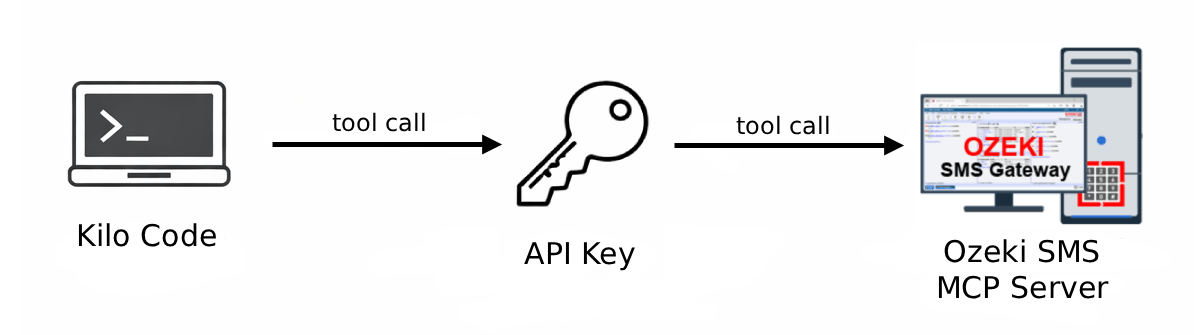
This page provides an overview of how to set up SMS functionality with Kilo Code using the Ozeki SMS MCP Server. Follow the guides below to configure the server, send outgoing messages, and retrieve incoming SMS directly from the Kilo Code chat panel.
What is Kilo code?
Kilo Code is an AI-powered coding assistant extension for Visual Studio Code that helps developers write code faster and more efficiently. It provides intelligent code completion, generation, and refactoring suggestions powered by large language models.
How to configure the Ozeki SMS MCP Server in Kilo Code
This guide explains how to add the Ozeki SMS MCP Server to your Kilo Code configuration. You will learn how to edit the kilo.jsonc configuration file, add the gateway URL and API key, and verify that the MCP server connection appears as connected in the Kilo Code Agent Behaviour settings.
How to configure the Ozeki SMS MCP Server in Kilo CodeHow to send SMS from Kilo Code
Learn how to send an SMS message directly from Kilo Code using the Ozeki SMS MCP server. Simply type a plain language prompt in the chat panel, review and approve the outgoing tool call, and confirm delivery by checking the Ozeki SMS Gateway event logs.
How to set up an SMS MCP server to send SMS from Kilo CodeHow to receive SMS in Kilo Code
Discover how to retrieve incoming SMS messages in Kilo Code using the Ozeki SMS MCP server. Ask the AI model to list all messages in plain language, then verify the retrieval request through the gateway event logs.
How to set up an SMS MCP server to receive SMS in Kilo Code