
How to configure the Ozeki SMS MCP Server in Hermes Agent
This guide walks you through integrating the Ozeki SMS MCP Server with Hermes Agent on Windows using the native PowerShell version. By following this tutorial, you will learn how to upgrade the MCP package in Hermes Agent's virtual environment, add the Ozeki SMS Gateway to the Hermes configuration file, and verify the connection using the built-in MCP test command.
What is an MCP server?
An MCP (Model Context Protocol) server exposes tools that an AI model can call during a conversation. In this setup, the Ozeki SMS MCP Server provides SMS tools such as sending messages and listing incoming SMS. Hermes Agent connects to the MCP server over HTTP using the configured URL and API key.
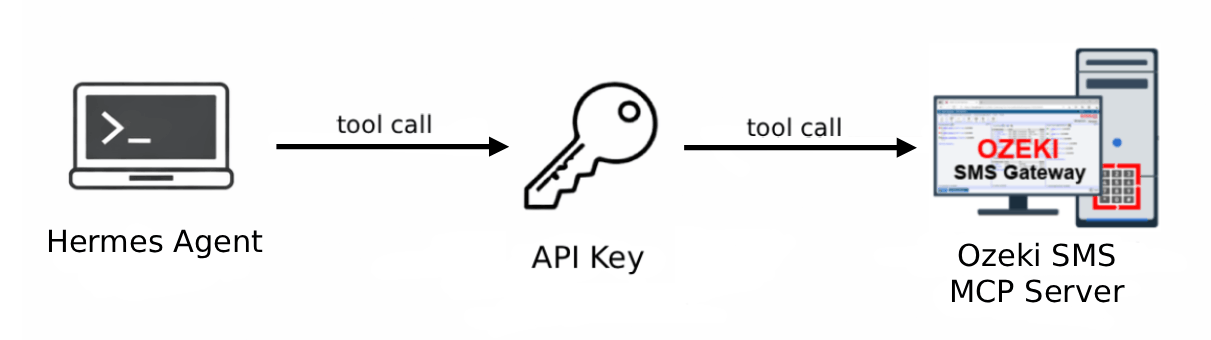
Hermes Agent MCP server configuration
#Upgrade the MCP package in Hermes Agent's virtual environment
uv pip install --upgrade mcp --python $env:LOCALAPPDATA\hermes\hermes-agent\venv

# Hermes Agent configuration file location:
C:\Users\%USERPROFILE%\AppData\Local\hermes\config.yaml

# Add the following block under the mcp_servers section in config.yaml
# Replace {address} with your Ozeki SMS Gateway host IP
# Replace your-bearer-token with your API key
mcp_servers:
  ozeki:
    url: "http://{address}:9529/mcp"
    headers:
      Authorization: "Bearer your-bearer-token"

# Verify the connection using the built-in MCP test command
hermes mcp test ozeki
Steps to follow
We assume Ozeki SMS Gateway is already installed on your system and you have already created an MCP user account with an API key. You will also need Hermes Agent installed on your system, as well as uv for the package upgrade command. You can follow our Hermes Agent installation guide.
Video tutorial
The following video shows how to add the Ozeki SMS MCP Server to Hermes Agent step-by-step.
Step 1 - Upgrade the MCP package in Hermes Agent
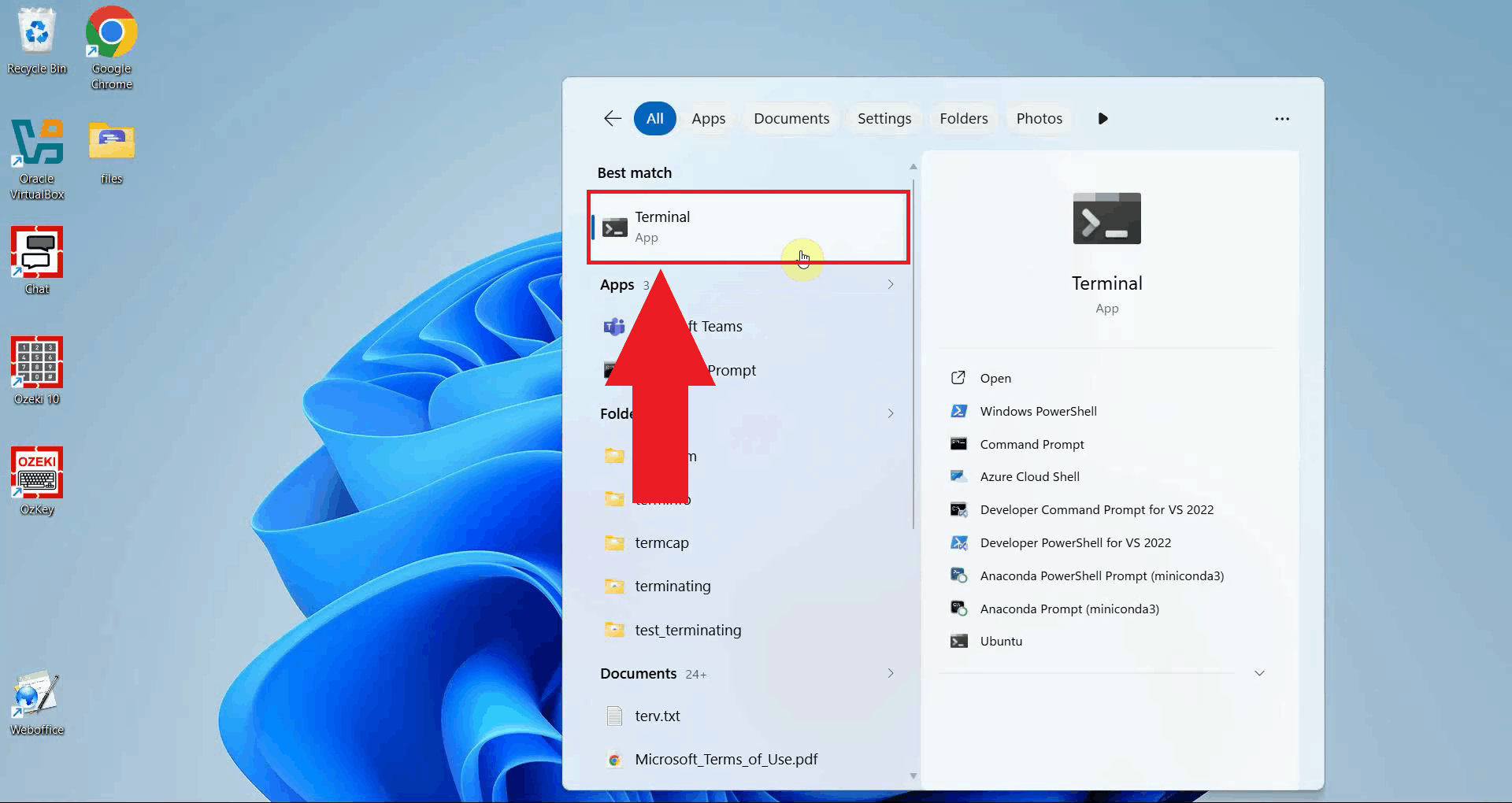
Open a PowerShell terminal by searching for Terminal in the Start menu. The following steps require PowerShell as Hermes Agent is installed as a native Windows application (Figure 1).
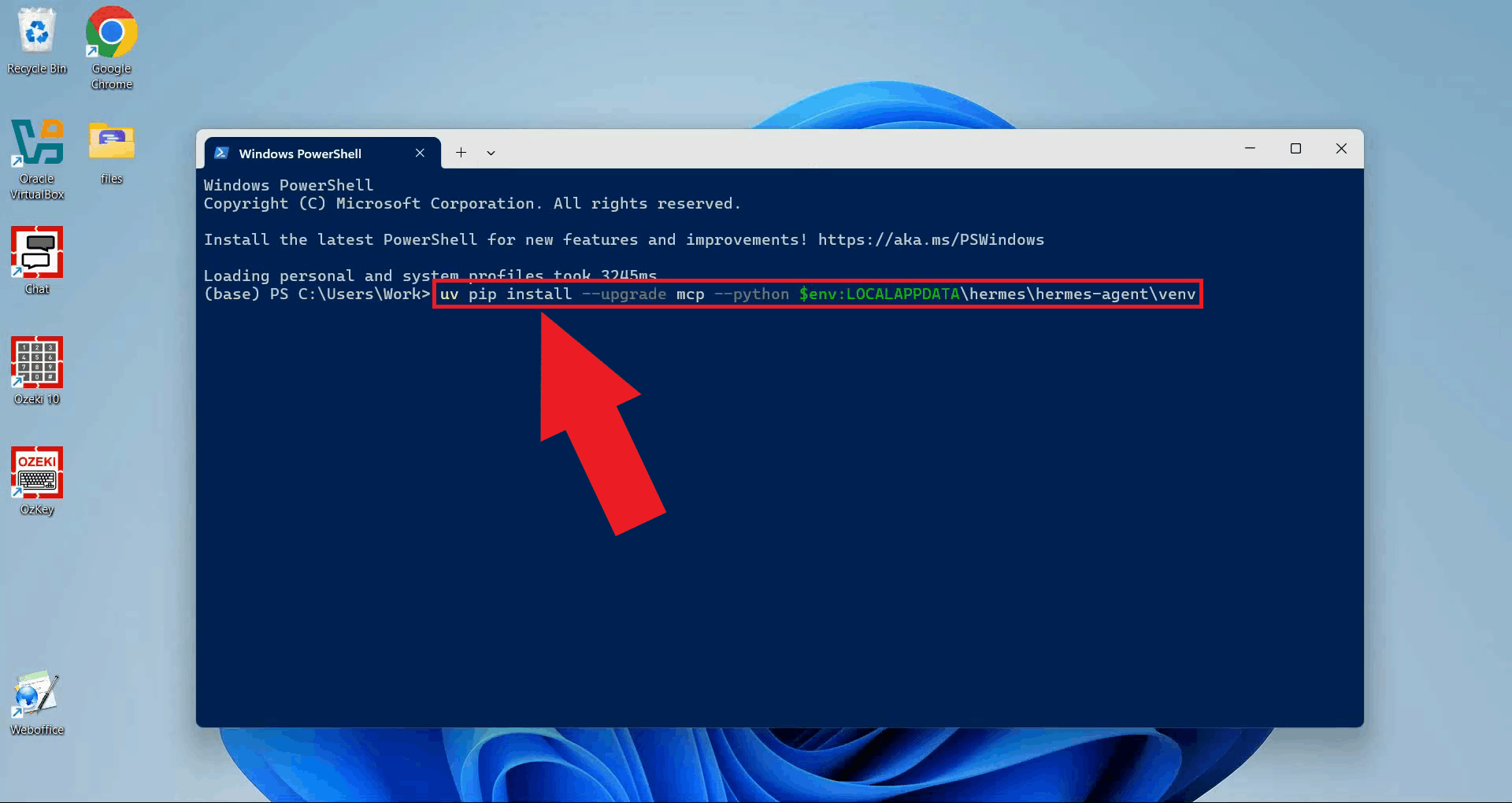
Run the following command to upgrade the mcp package inside Hermes
Agent's virtual environment. This step is required because the default MCP
package version shipped with Hermes Agent does not include Streamable HTTP
transport support, which is needed to connect to the Ozeki SMS Gateway (Figure 2).
uv pip install --upgrade mcp --python $env:LOCALAPPDATA\hermes\hermes-agent\venv
Step 2 - Edit the Hermes Agent configuration file
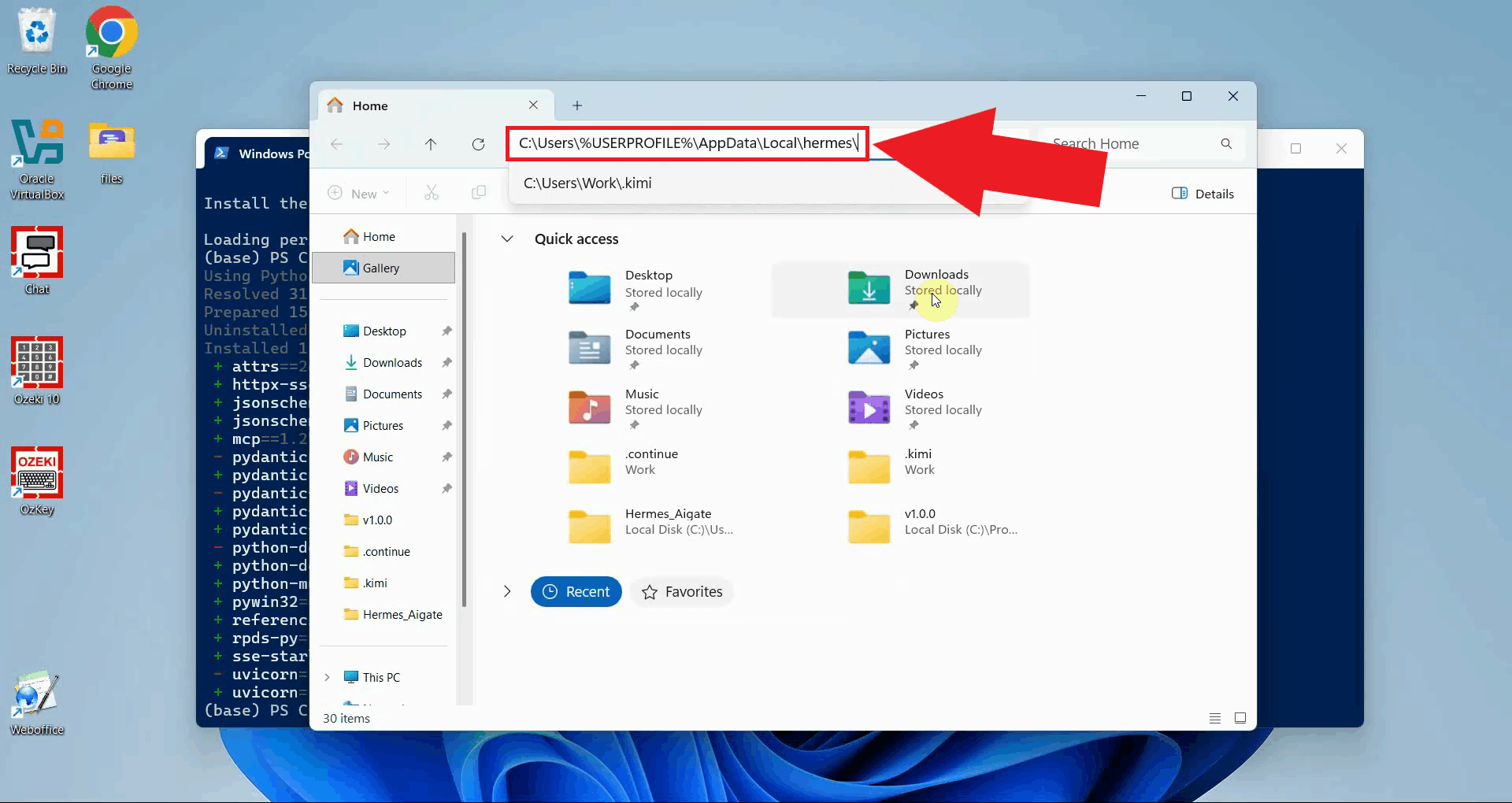
Navigate to the Hermes Agent data directory at
C:\Users\%USERPROFILE%\AppData\Local\hermes\ using File Explorer.
You can open this folder quickly by typing
%USERPROFILE%\AppData\Local\hermes directly into the File Explorer
address bar and pressing Enter (Figure 3).
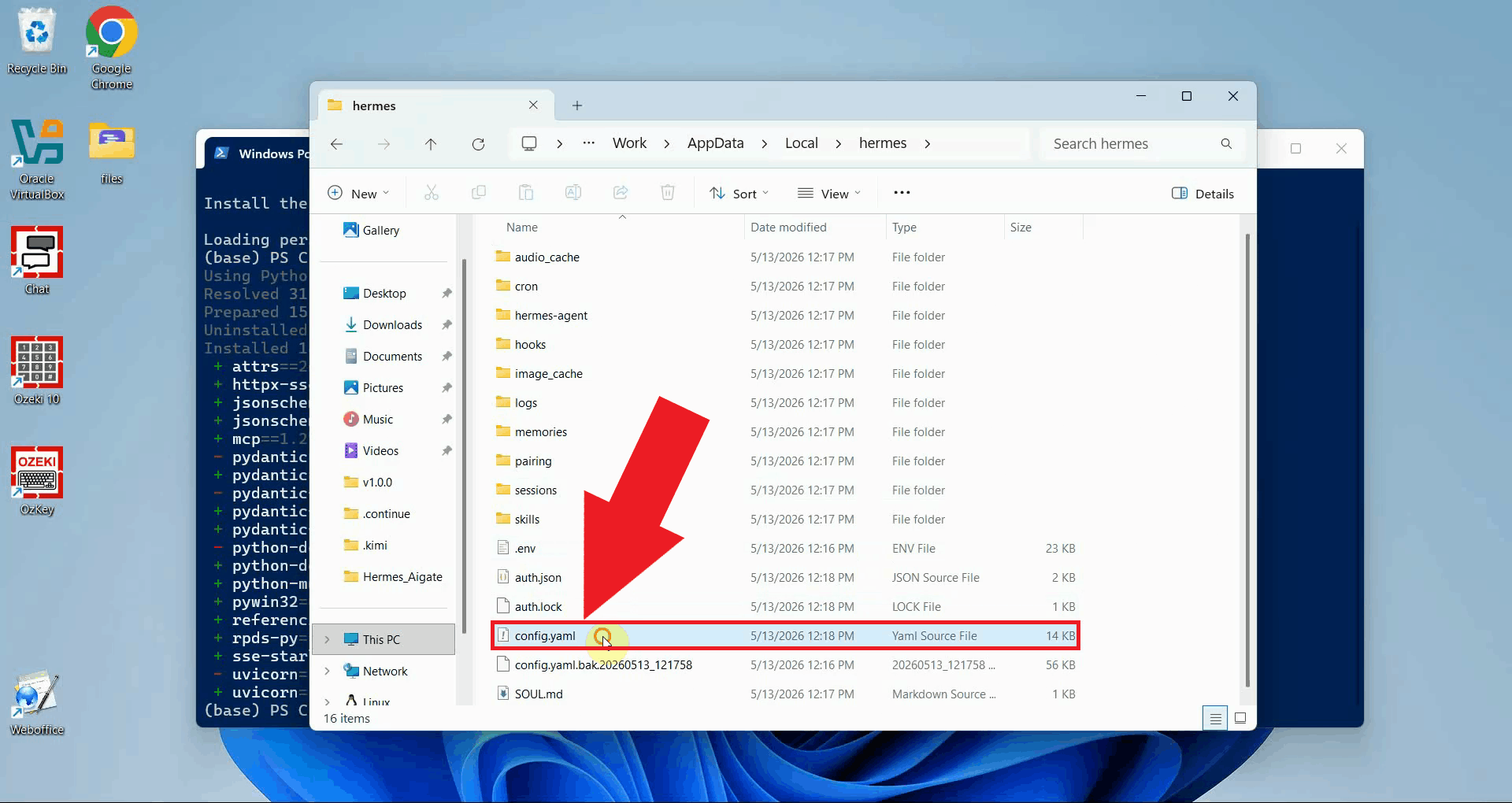
Open the config.yaml file in a text editor such as Notepad. This file
stores all Hermes Agent configuration, including any MCP servers that should be
available to the AI agent (Figure 4).
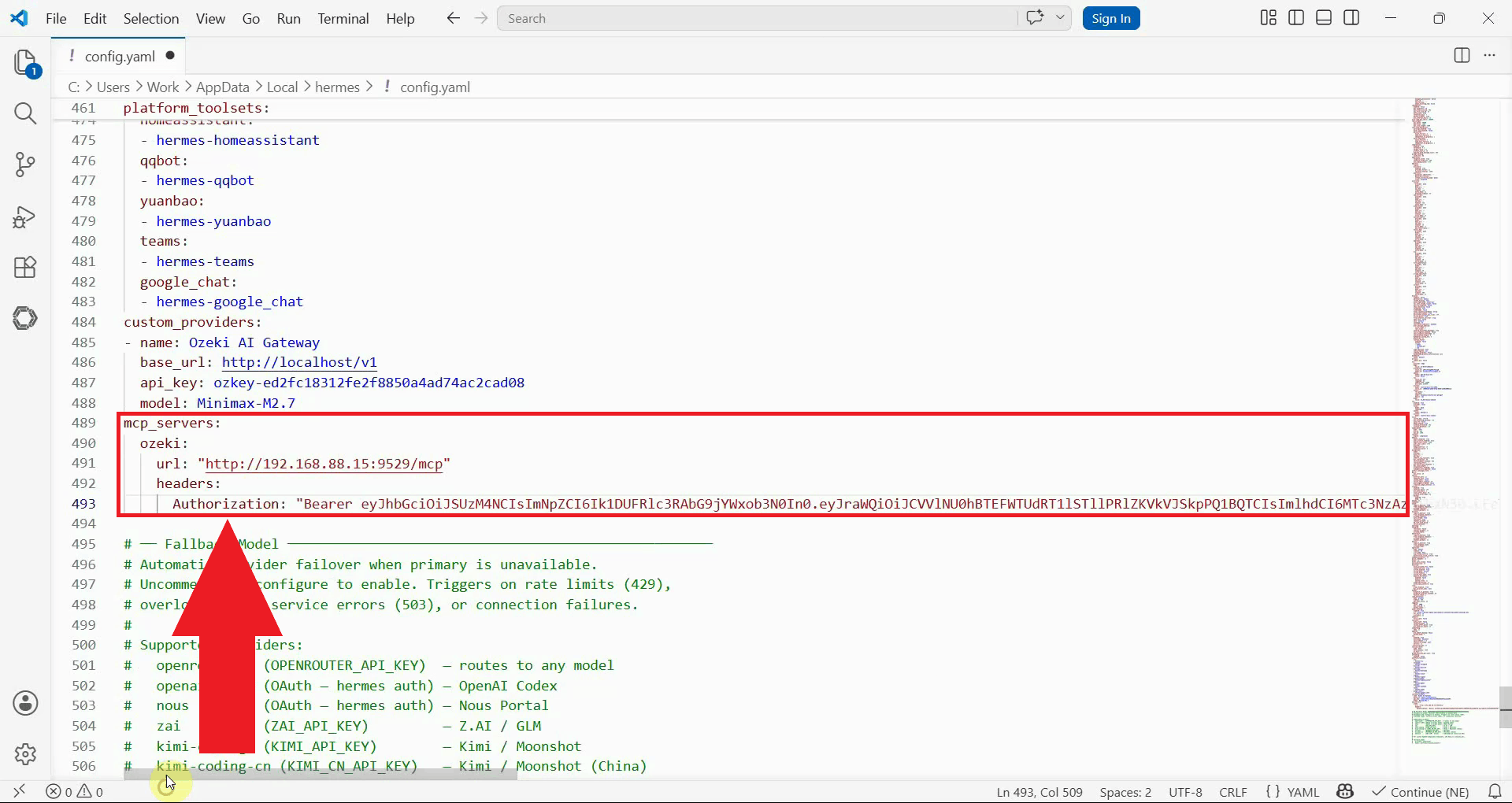
Add the mcp_servers section and the Ozeki SMS MCP Server entry
as shown below. Replace {address} with the IP address or hostname of
your Ozeki SMS Gateway installation, and replace your-bearer-token
with the API key you generated for your MCP user account (Figure 5).
mcp_servers:
  ozeki:
    url: "http://{address}:9529/mcp"
    headers:
      Authorization: "Bearer your-bearer-token"
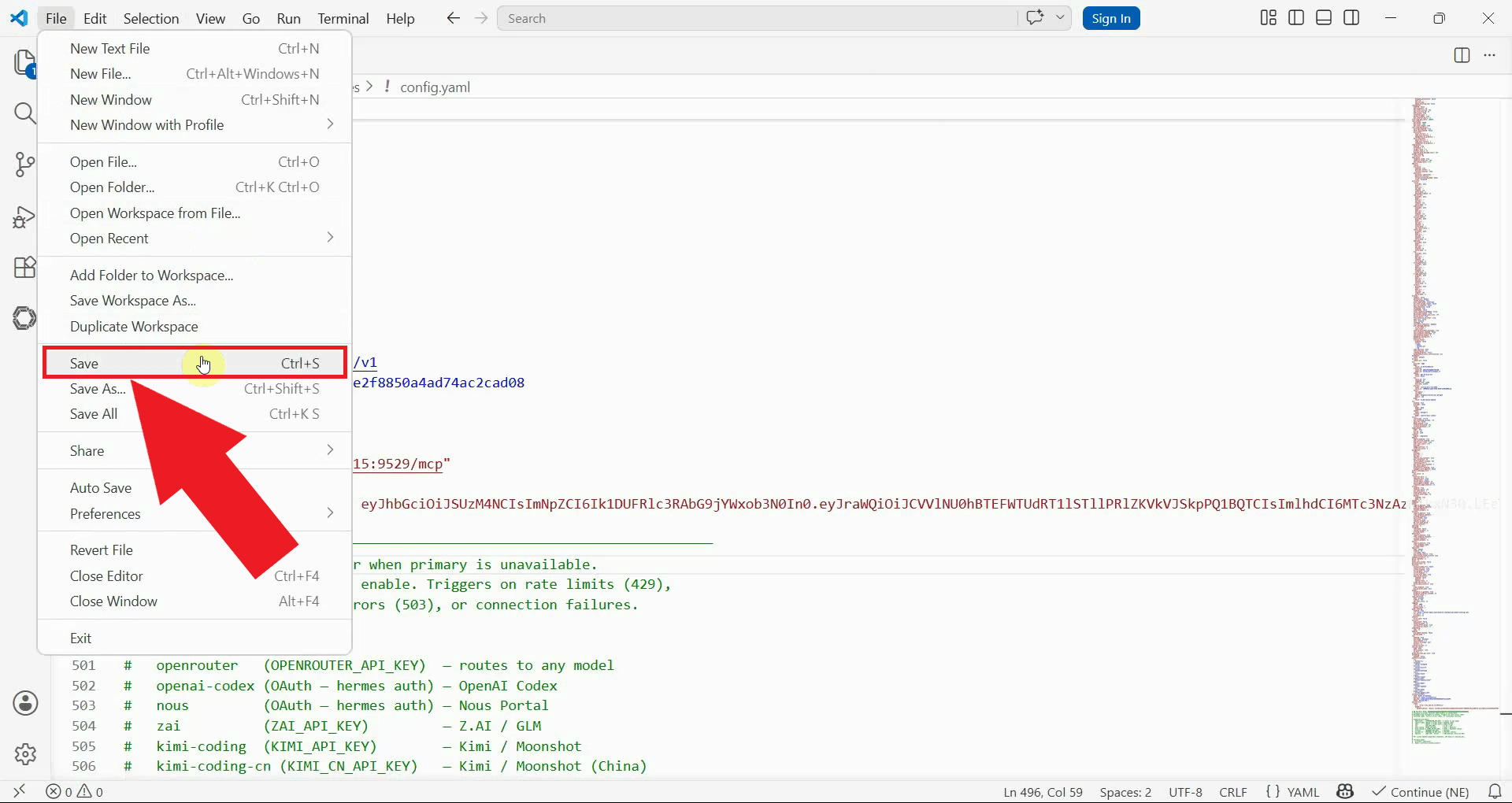
Save the configuration file and close the text editor. The changes will take effect the next time Hermes Agent is started (Figure 6).
Step 3 - Verify the MCP server connection
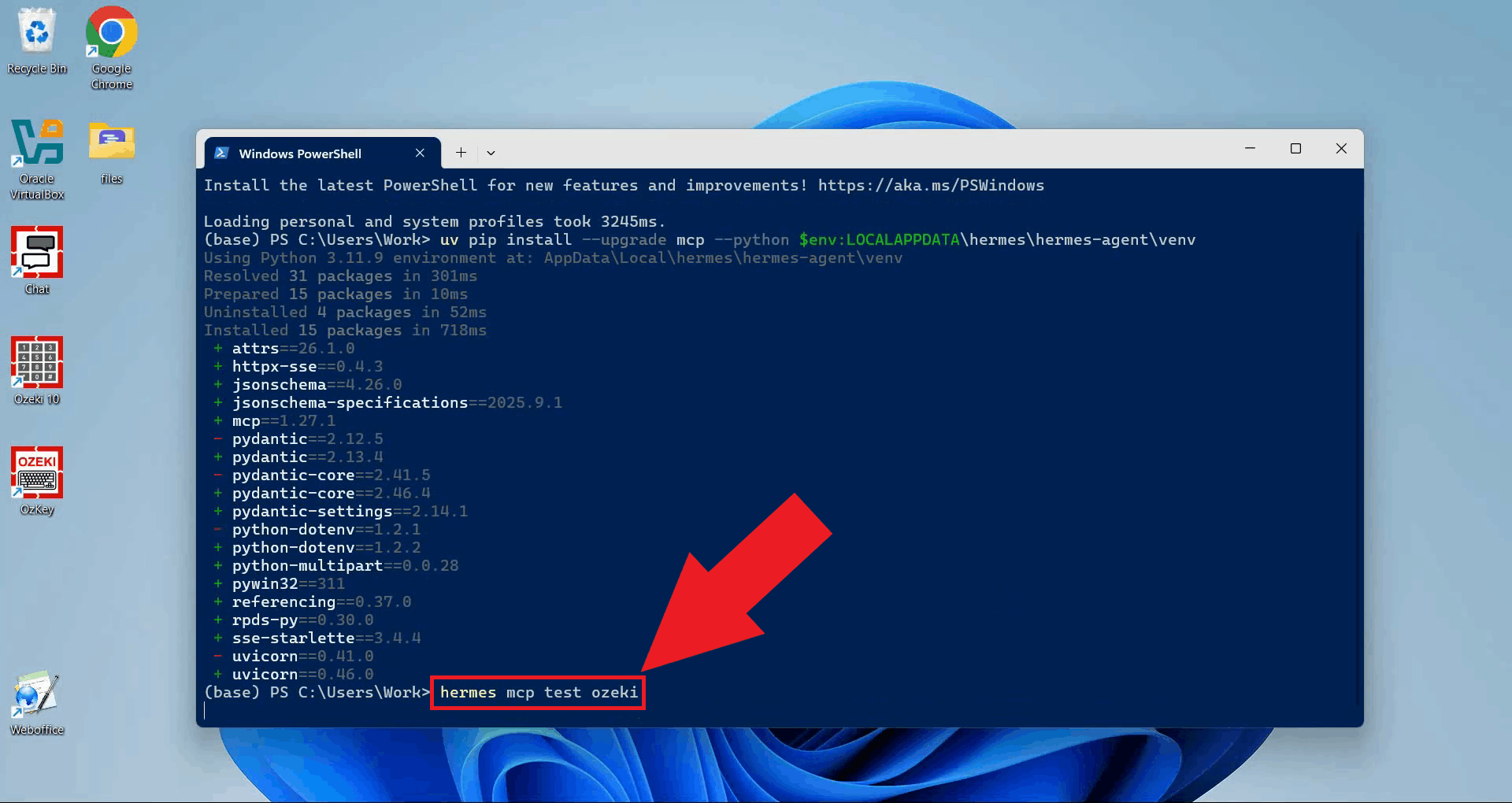
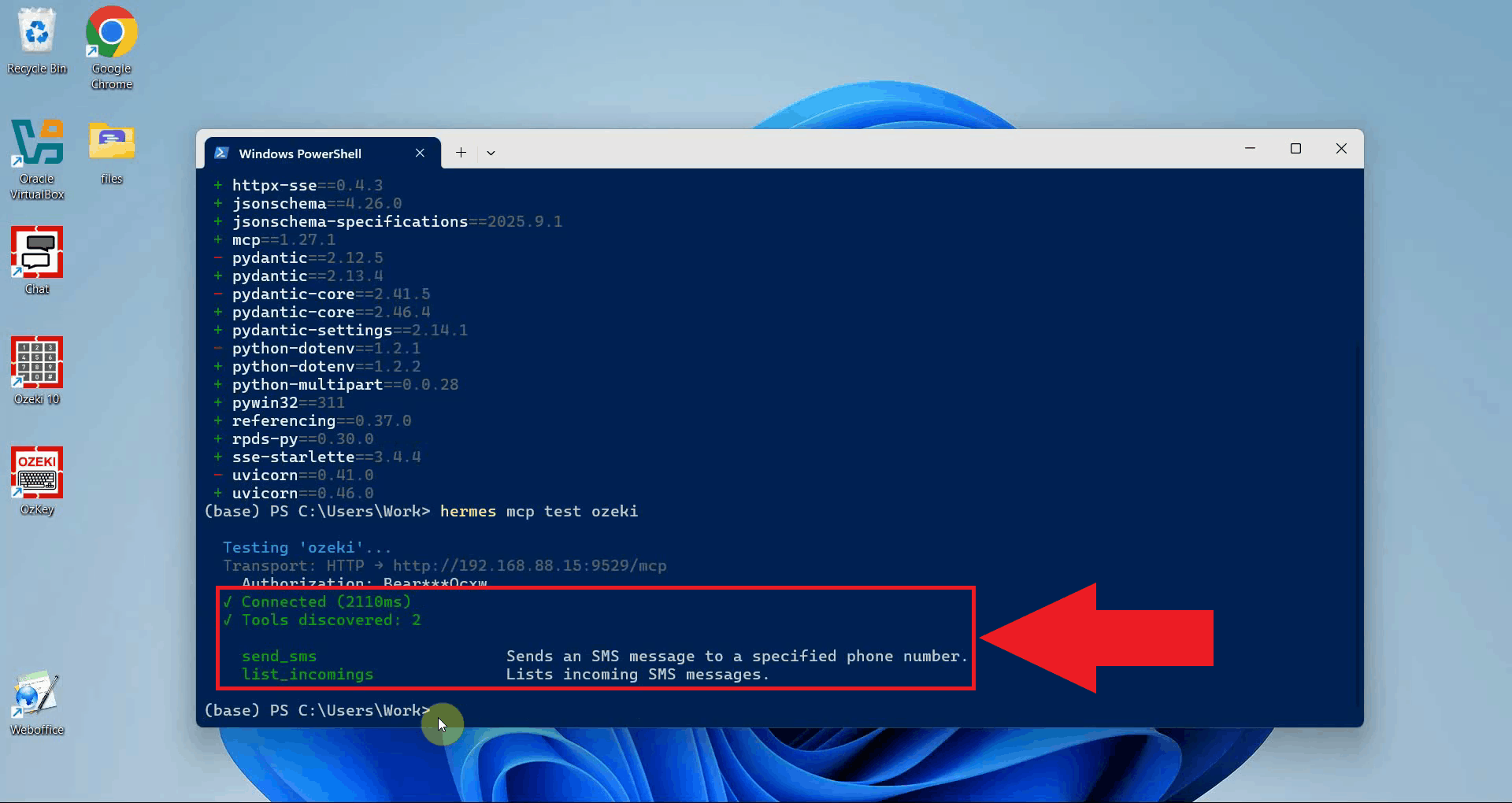
Run the following command in PowerShell to test the connection to the Ozeki SMS MCP Server. Hermes Agent will attempt to connect to the server and retrieve the list of available tools (Figure 7).
hermes mcp test ozeki
The output will display the SMS tools exposed by the Ozeki SMS MCP Server, confirming that Hermes Agent has successfully connected to your gateway using the configured URL and API key (Figure 8).
Summary
You have successfully added the Ozeki SMS MCP Server to Hermes Agent. With the server connected, the AI agent can send and receive SMS messages through your gateway without any additional setup. Hermes Agent can now act on SMS-related instructions simply by being asked to do so in plain language.