
Jasmin SMS Gateway Alternative: Switch to Ozeki Without Changing Your Applications
Jasmin is an open source SMS gateway written in Python on the Twisted framework, and it has powered messaging for many projects in the open source community. Even so, many developers, system integrators, and mobile network operators eventually begin searching for a Jasmin alternative when their SMS traffic grew and they required an SMS gateway that is reliable ans secure for business use. Ozeki SMS Gateway was built to meet these expectations, and it offers something no other Jasmin replacement does: a Jasmin compatible HTTP API. Your existing applications keep working after the switch, with no code changes.
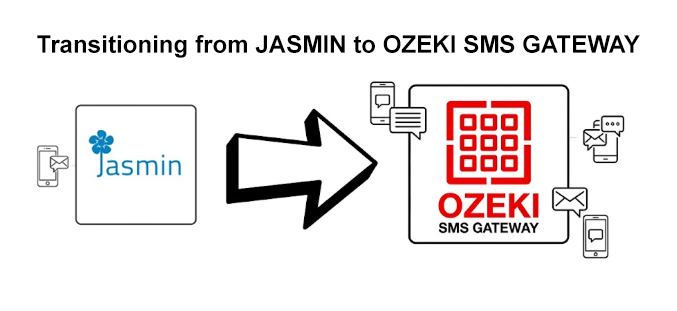
Why Users Look for a Jasmin Alternative
Jasmin is mature and battle tested, but its architecture reflects the era in which it was built. The following limitations are the most common reasons our customers cite when they decide to evaluate an alternative:
- Configuration happens in INI text files. Every connector, route, and user account is defined in jasmin.cfg and managed through the telnet based jcli command line interface. There is no graphical view of your messaging setup, and every change requires exact command line syntax.
- There is no free web based administrative interface. Jasmin's web backend is provided only under a commercial license, so open source deployments are operated entirely through config files, jcli, and log files.
- Deployment is Linux centric. Jasmin is built on Python and Twisted and targets Linux and Unix systems. There is no native Windows service, which makes operation on Windows server environments complex.
- Message storage and reporting are limited. Jasmin is designed for in-memory execution with an AMQP broker for store-and-forward, but it does not provide a built in SQL message archive, message browser, or graphical delivery statistics.
- Support is community based. Commercial support exists, but for the typical open source deployment there is no vendor behind you, no service level agreement, and no guaranteed fix for the version you run.
- No native GSM modem support. Jasmin routes through SMPP and HTTP connectors, but connecting GSM modems directly requires additional components and scripting that other gateways handle out of the box.
Keep Your Applications: The Jasmin Compatible API
This is the detail that makes the switch practical. Ozeki SMS Gateway implements the Jasmin HTTP API send interface. Your applications, scripts, and integrations send messages using the same request format, the same parameters, and the same response behaviour they use today.
A typical Jasmin request looks like this:
http://127.0.0.1:1401/send?username=jasmin_user&password=jasmin_pass&to=%2B36201234567&
from=MyApp&content=Hello+world&dlr=yes&dlr-url=http%3A%2F%2Fmyapp.example.com%2Fdlr&dlr-level=2&dlr-method=GET
To send the same request through Ozeki, you only change the host and port in the base URL to point to your Ozeki server. The request parameters are accepted as they are:
- username and password for authentication
- to and from for the recipient and sender addresses
- content for the message body (or hex-content for binary messages)
- coding for GSM 7 bit, UCS2 (UTF-16), and other data coding schemes
- priority, sdt, and validity-period for message handling
- dlr, dlr-url, dlr-level, and dlr-method for delivery report callbacks
- tags for tagging messages for routing and interception logic
Delivery reports are forwarded to your dlr-url callback with the same parameters Jasmin uses, including the id, message_status, connector, and level fields, and the familiar success response is returned as well. In practice, migration on the application side comes down to a single change: the base URL of the SMS gateway. Authentication, message submission, and report handling all stay exactly as they are. The full parameter reference is available on our Jasmin compatible API page.
What You Get When You Switch
Beyond compatibility, Ozeki adds the capabilities Jasmin users ask for most often:
Web Based Configuration GUI
Install, configure, and operate the entire gateway from a browser. SMSC connections, routing rules, users, and permissions are managed through forms instead of config files and telnet commands. Live logs, message archives, and delivery statistics are visible in the same interface.
SMPP Client and SMPP Server
Connect to carrier SMSCs as an SMPP client with transmitter, receiver, or transceiver binds, and run your own SMPP server to serve customers and partners. TLS encryption is supported on both sides.
Built In Database Integration
Send SMS by inserting a row into a database table and receive SMS by polling another table. MySQL, Microsoft SQL Server, PostgreSQL, and Oracle are supported directly, with no additional component to install or maintain.
Reliable Delivery Reporting
Every message status is stored and searchable. Reports can be forwarded to your application over HTTP, written to SQL databases, or inspected in the GUI, so lost delivery reports stop being a daily concern.
Windows and Linux
Ozeki runs as a native Windows service and on Linux. GSM modem connectivity works out of the box through COM ports on Windows and serial devices on Linux, with a driver wizard to simplify setup. Alongside the Jasmin compatible API, SMPP, UCP/EMI, CIMD2, HTTP SMSC, and GSM modem AT command connections are all supported.
Jasmin vs Ozeki SMS Gateway: Comparison Snapshot
The table below summarizes the differences that matter most in day to day operation:
| Feature | Jasmin | Ozeki SMS Gateway |
|---|---|---|
| Operating systems | Linux, Unix | Native Windows service and Linux |
| Administration | jasmin.cfg INI files and jcli telnet CLI | Full web based GUI |
| Web interface | Commercial license only | Included with the gateway |
| SMPP | Client and server | Client and server |
| SQL messaging | Not built in, requires custom development | Built in, multiple database engines |
| GSM modem connections | Not supported natively | Built in with driver wizard |
| Delivery reports | HTTP callback with ACK/Jasmin acknowledgement | Built in storage, GUI visibility, HTTP callback |
| Jasmin /send compatibility | Native | Yes, built in |
| Support | Community based, commercial support optional | Professional support with optional SLA |
| License | Open source (Apache License 2.0) | Commercial, free trial download |
A more detailed analysis is available on our Jasmin vs Ozeki comparison page.
Who Should Switch, and Who Should Stay
An honest evaluation helps you decide. Ozeki SMS Gateway is a strong fit if you:
An honest evaluation helps you decide. Ozeki SMS Gateway is a strong fit if you need to run or administer the gateway on Windows, want a graphical interface instead of editing INI files and typing jcli commands, want a web based interface without buying a commercial add-on, store messages or delivery reports in SQL databases and want this built in, connect GSM modems directly, or require commercial support with defined response times.
Jasmin remains a reasonable choice if you run a Linux-only environment, your team is comfortable with config files and telnet command-line tools, your traffic patterns are stable, and community support is acceptable for your organization. If any of the points above describe your situation, switching removes daily friction without touching your core setup.
Migration Is a Predictable, Low Risk Process
Because the API is compatible, you can move in controlled steps instead of a risky big bang cutover:
- Install Ozeki SMS Gateway on Windows or Linux.
- Recreate your SMSC connections (SMPP, HTTP) and routing rules.
- Create user accounts that mirror your Jasmin HTTP API users.
- Send a test message with the same URL your applications use today and confirm the delivery report arrives.
- Run both gateways in parallel, then switch traffic over to Ozeki.
The complete procedure, including a Jasmin configuration mapping and a rollback plan, is described in our Jasmin to Ozeki migration guide.
Try Ozeki SMS Gateway with Your Existing Jasmin Applications
You can evaluate every feature described on this page using the free trial of Ozeki SMS Gateway. Download it, install it on Windows or Linux, and connect your first application with its existing Jasmin request format. If you have questions during evaluation, our support team is happy to help, and the API compatibility documentation covers every parameter in detail.