Online product activation of Ozeki SMS Gateway
This page explains how to activate Ozeki SMS Gateway over the internet so that a purchased license key can be validated and the software can be used without limitations. It walks the user through opening the activation menu, entering the license key, choosing online activation, and confirming that the activation has succeeded. The guide focuses on a quick, automated process where the gateway connects directly to the Ozeki activation server, provided that internet access is available.
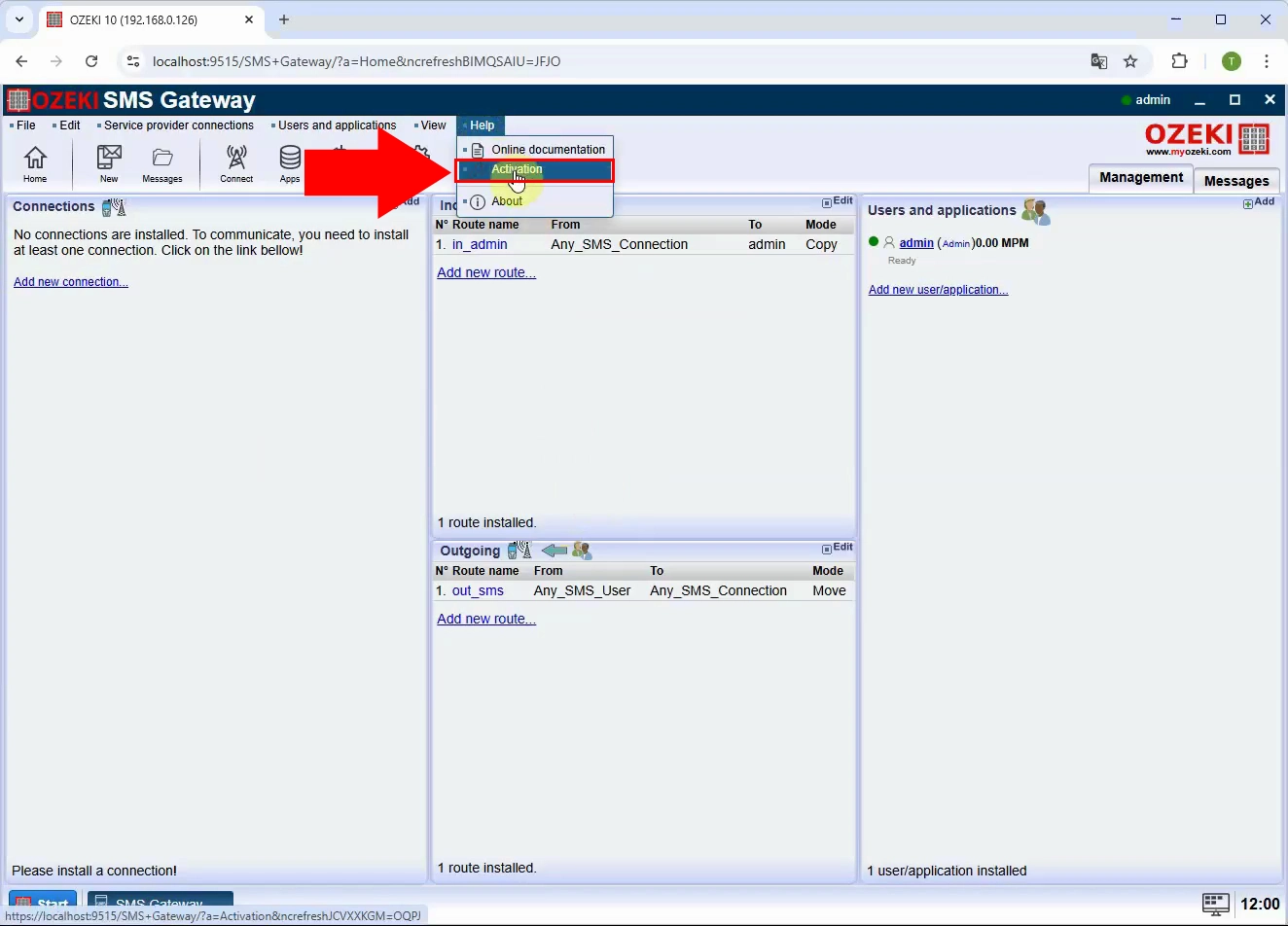
Open the Ozeki SMS Gateway application, go to the Help menu at the top, and select the Activation option to bring up the product activation window where you can start the online activation process.
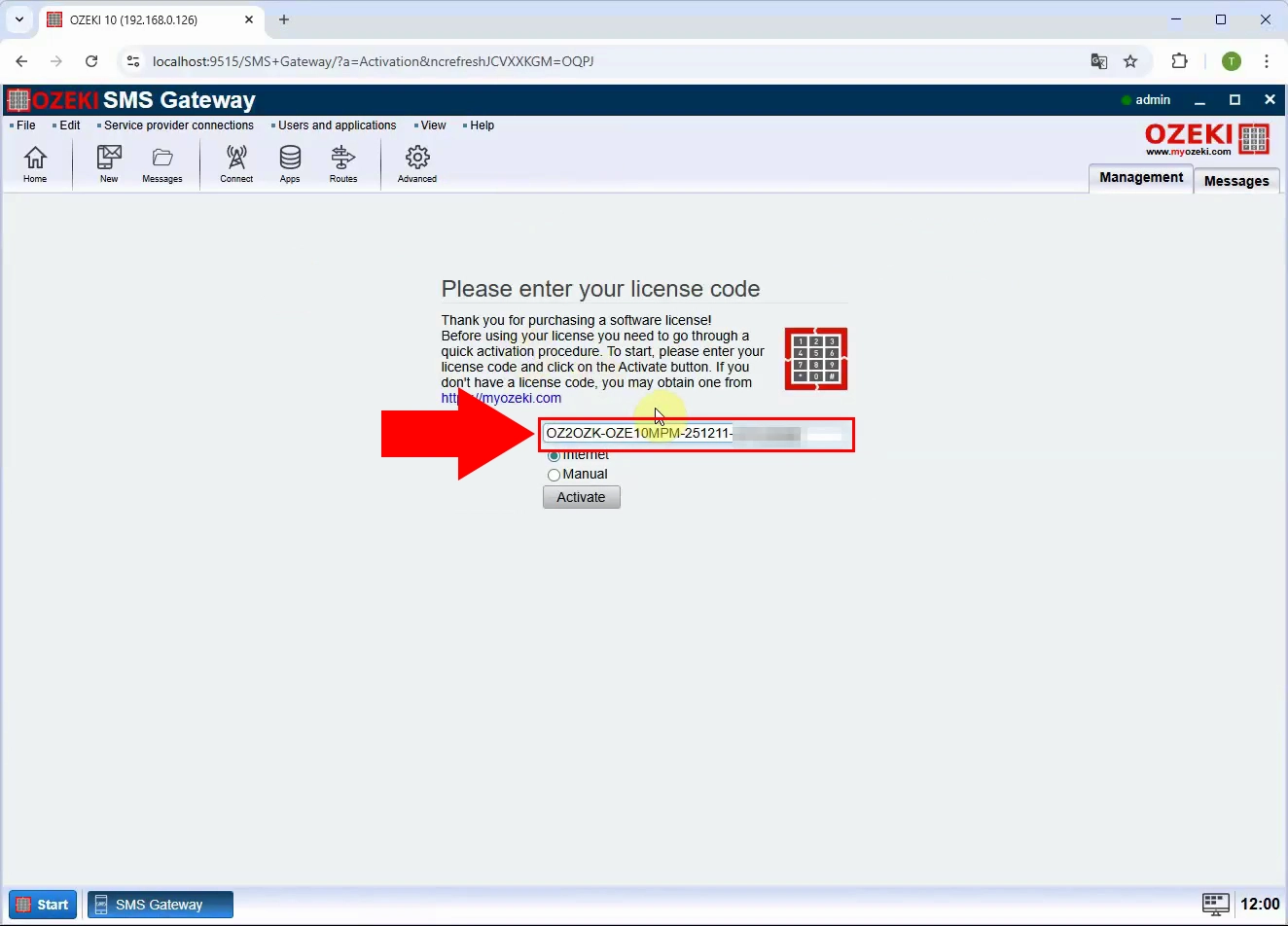
In the activation window, type your purchased license key into the License key field exactly as provided and then proceed so the system can validate your license for online activation over the internet.
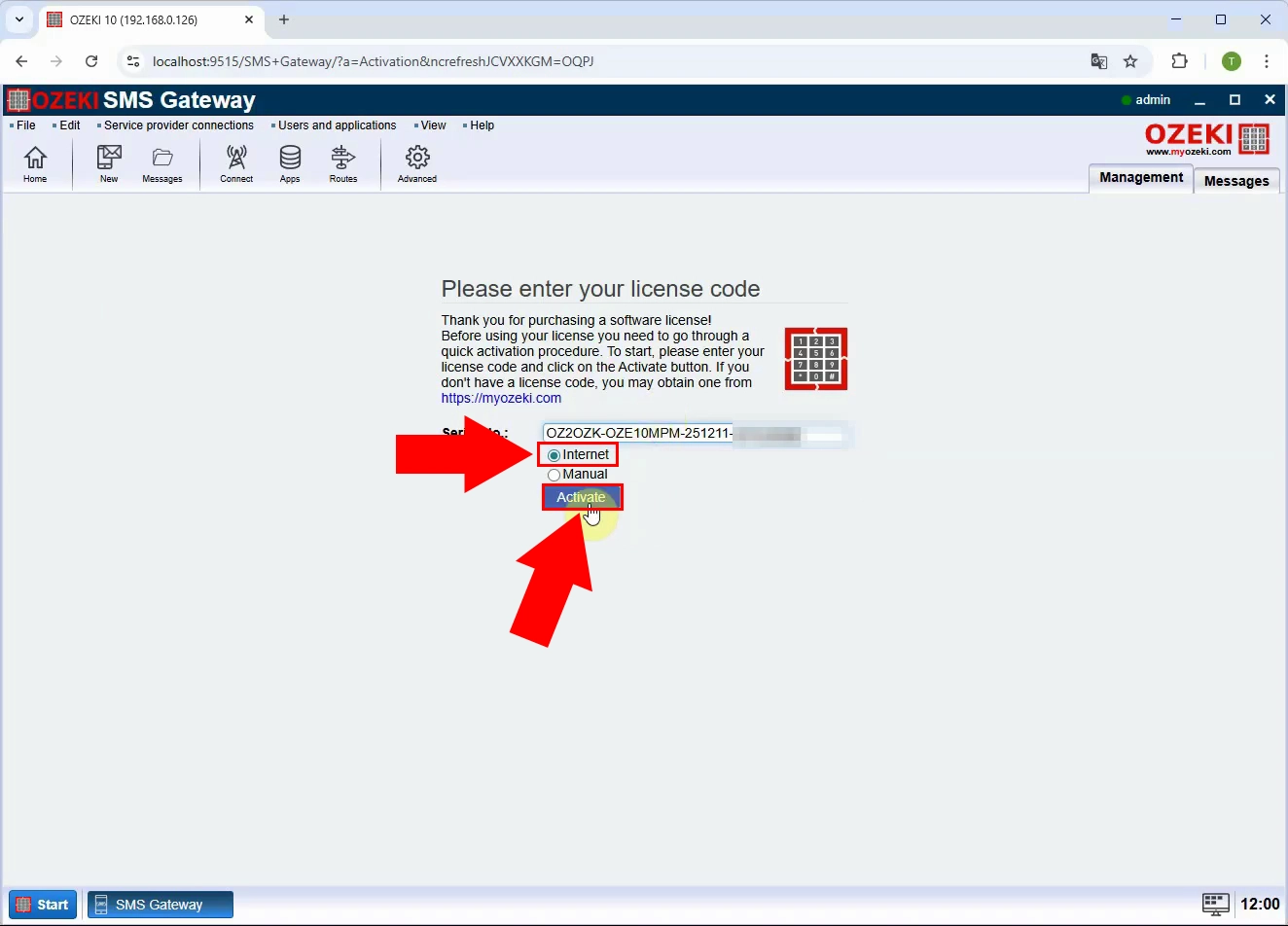
Choose the Internet activation option in the activation window and click the Activate button, ensuring the server has internet access so the software can contact the Ozeki activation server and register your license automatically.
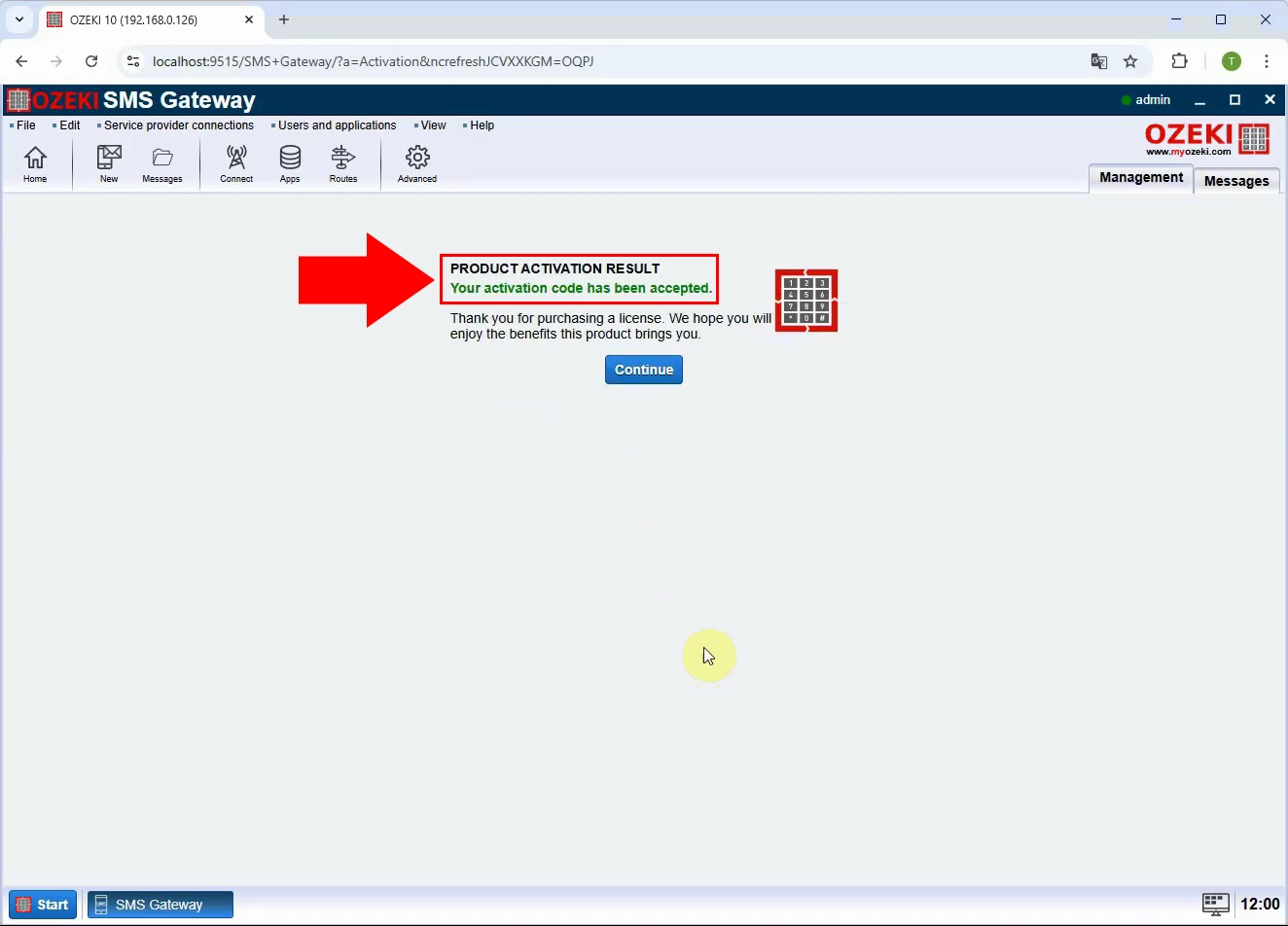
Wait while the activation request is processed, then confirm that the dialog shows a successful activation message, indicating that your license was accepted and the product is now fully activated with all entitled features enabled.